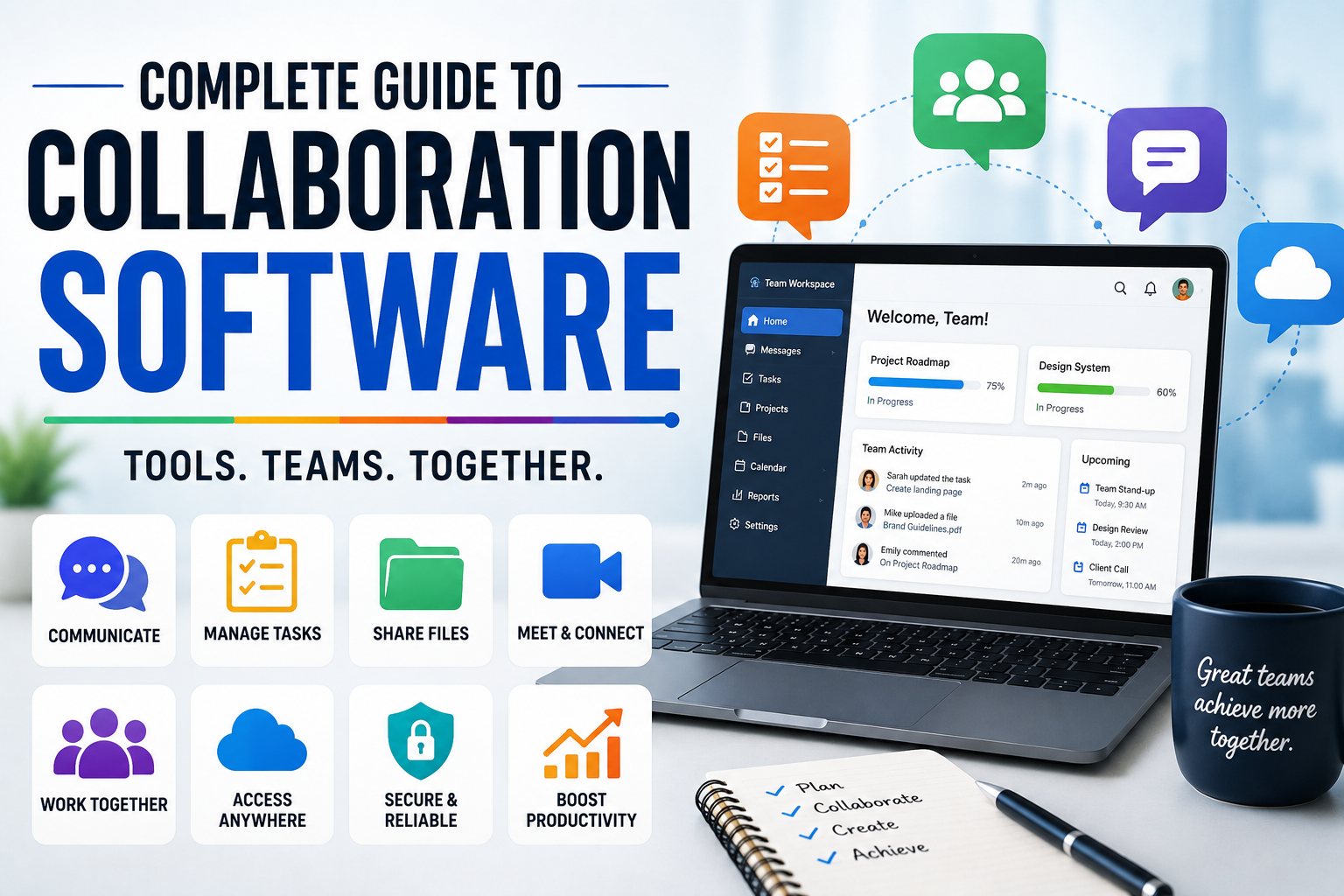
Complete Guide to Collaboration Software
Modern teams rarely work in the same place, at the same time, or even on the same schedule. Employees may work from offices, homes, coworking spaces and different countries, while freelancers, contractors and clients can be spread across multiple time zones.
Collaboration software helps bring this work together.
Instead of relying on long email threads, disconnected documents and scattered conversations, teams can use collaboration platforms to communicate, manage projects, share files, coordinate tasks and keep important information accessible.
But collaboration software is not simply a collection of workplace apps. The right system can change how a team organizes information, makes decisions and gets work completed.
Businesses often use collaboration platforms alongside other systems described in the Complete Guide to Business Software, creating a connected technology environment that supports communication, operations and productivity.
This guide explains what collaboration software is, the major types, how it works, its benefits and limitations, important features to consider, security considerations and how businesses can choose the right tools for their needs.
What Is Collaboration Software?
Collaboration software is technology designed to help people communicate, coordinate tasks, share information and work together toward common objectives.
Depending on the platform, collaboration software can include features for:
- Team messaging
- Video meetings
- File sharing
- Document collaboration
- Project management
- Task management
- Calendars
- Workflow automation
- Knowledge management
- Whiteboards
- Notifications
- Team discussions
- Time tracking
- Integrations
Some platforms specialize in one area, while others combine several collaboration functions into a single workspace.
For example, a business might use one application primarily for messaging, another for project management and another for cloud storage. Alternatively, it may choose a platform that combines many of these functions.
The goal is not simply to create more communication.
It is to make communication more useful, accessible and actionable.
Why Collaboration Software Matters
Workplace communication can become complicated as organizations grow.
A small team may be able to coordinate through email and occasional meetings. As the number of employees, projects and customers increases, however, information can become fragmented.
Important details might exist in:
- Email inboxes
- Private messages
- Spreadsheets
- Shared folders
- Meeting notes
- Project-management boards
- Paper documents
- Personal devices
Collaboration software attempts to create a more organized environment where information and conversations can be connected to the work they support.
The objective is not simply to create more communication.
It is to make communication more useful, accessible and actionable.
This becomes especially important when collaboration technology is part of a broader digital workplace environment, where employees need to move between communication, documents, business applications and operational workflows without constantly searching for information.
The Main Types of Collaboration Software
Collaboration software covers a broad category of tools.
Team Communication Software
These platforms provide messaging and communication features for teams.
Common capabilities include:
- One-to-one messaging
- Group conversations
- Channels
- File sharing
- Search
- Notifications
- Voice calls
- Video calls
- Integrations
They can reduce the need for lengthy internal email conversations.
However, businesses should establish clear guidelines about when messaging should be used instead of email or meetings.
Video Conferencing Software
Video-conferencing platforms allow teams to hold meetings remotely.
Features can include:
- Video calls
- Audio calls
- Screen sharing
- Meeting recording
- Chat
- Virtual backgrounds
- Breakout rooms
- Captions
- Presentation tools
Video meetings can be useful for discussions that require real-time interaction, although they should not automatically replace every form of communication.
For a broader look at how businesses use digital communication systems, see the Complete Guide to Business Communication Technology.
Project Management Software
Project-management platforms help teams organize work around projects and deadlines.
They commonly provide:
- Tasks
- Assignees
- Deadlines
- Priorities
- Statuses
- Dependencies
- Project boards
- Timelines
- Progress reports
These tools are particularly useful when multiple people need to coordinate work toward a shared outcome.
Project management and collaboration increasingly overlap because teams need both a place to discuss work and a structured way to track its execution.
Task Management Software
Task-management applications focus more narrowly on individual and team tasks.
A task might include:
- Description
- Owner
- Deadline
- Priority
- Status
- Comments
- Attachments
Task-management tools can help transform broad objectives into specific actions.
They are particularly useful when responsibilities need to be visible and teams need a simple way to track outstanding work.
Document Collaboration Software
Collaborative document platforms allow multiple people to create, edit and review documents.
Useful capabilities include:
- Real-time editing
- Comments
- Suggestions
- Version history
- Sharing permissions
- Document search
- Automatic saving
This can eliminate the confusion created when several people send different versions of the same document by email.
Document collaboration is especially valuable for organizations that need employees to work on proposals, reports, presentations, spreadsheets and other shared materials.
Cloud File-Sharing Software
Cloud storage platforms allow teams to store and access files online.
They may support:
- Shared folders
- File permissions
- Version history
- File synchronization
- External sharing
- Backup features
- Search
Cloud-based file sharing is particularly useful for distributed teams.
However, businesses should establish clear ownership and organizational rules so employees know where important information should be stored.
Digital Whiteboards
Digital whiteboards provide collaborative visual spaces for brainstorming, planning and workshops.
Teams can use them for:
- Brainstorming
- Diagrams
- Process mapping
- Design exercises
- Planning
- Mind maps
- Workshops
They are particularly useful when teams need to visualize ideas rather than simply exchange text.
Knowledge Management Software
Knowledge-management tools help organizations store and organize information that employees may need repeatedly.
Examples include:
- Company policies
- Procedures
- Training materials
- Product documentation
- Internal guides
- Frequently asked questions
- Technical documentation
A well-organized knowledge base can reduce repetitive questions and make onboarding easier.
Knowledge management also helps prevent important information from becoming trapped inside individual conversations or employees’ personal files.
Collaboration Software vs. Communication Software
The two terms are sometimes used interchangeably, but there is a useful distinction.
Communication software primarily helps people exchange information.
Collaboration software generally goes further by helping people work together on shared tasks, projects or documents.
For example:
A messaging application helps employees discuss a marketing campaign.
A collaboration platform might also allow them to:
- Create the campaign project
- Assign tasks
- Share files
- Set deadlines
- Review content
- Track progress
In practice, modern workplace platforms increasingly combine communication and collaboration capabilities.
This overlap means businesses should evaluate software according to the actual workflows they need to support rather than relying entirely on product categories.
Key Features to Look For
The best collaboration software depends on the organization’s needs, but several features are broadly useful.
Messaging
Messaging allows teams to communicate quickly without relying entirely on email.
Look for:
- Direct messages
- Group conversations
- Channels
- Search
- File attachments
- Message threads
Search
Search becomes increasingly important as the volume of information grows.
A good collaboration platform should make it reasonably easy to locate:
- Messages
- Documents
- Tasks
- People
- Projects
- Previous discussions
Poor search can undermine an otherwise excellent collaboration system.
File Sharing
Teams frequently need to exchange documents, images, spreadsheets and other files.
Useful features include:
- Permission controls
- Version history
- Preview
- Folder organization
- Search
- File synchronization
Task Assignment
Task-management capabilities can make responsibilities clearer.
A useful system should allow teams to determine:
Who is doing what, by when, and what happens next?
Notifications
Notifications help users stay informed about relevant activity.
However, excessive notifications can become a productivity problem.
Good collaboration software should provide controls that allow users to determine:
- What generates alerts
- When alerts appear
- Which channels are important
- Which notifications can be muted
Integrations
Businesses rarely operate using one application.
Collaboration software should therefore integrate with tools that teams already use.
Possible integrations include:
- Calendars
- Cloud storage
- Customer relationship management systems
- Accounting software
- Development tools
- Marketing platforms
- Automation services
Integrations can reduce duplicate data entry and help different systems work together.
Benefits of Collaboration Software
Better Communication
Centralized communication can make it easier for employees to find relevant conversations.
Improved Visibility
Project dashboards and task lists can show what is being worked on and what remains outstanding.
Easier Remote Work
Teams can collaborate without needing to be physically located in the same office.
Faster Information Sharing
Cloud-based systems allow employees to distribute documents and updates quickly.
Better Accountability
Assigned tasks and deadlines make responsibilities more visible.
Reduced Email Dependence
Many internal discussions can move from email into organized team spaces.
Centralized Knowledge
Organizations can create searchable repositories for important information.
The greatest benefits usually appear when collaboration software is integrated into established workflows rather than introduced as another disconnected application.
Collaboration Software for Remote Teams
Remote teams often depend heavily on digital collaboration.
Without physical proximity, employees need reliable ways to determine:
- What the team is working on
- Who owns each task
- When meetings happen
- Where documents are stored
- How decisions are communicated
- Where questions should be asked
A good remote-work environment typically combines several collaboration functions rather than relying on video meetings alone.
Written documentation is particularly important because employees working across time zones cannot always participate in every live conversation.
Collaboration Software for Hybrid Teams
Hybrid teams combine remote and office-based employees.
This creates a unique challenge.
A company can have excellent collaboration technology and still create an uneven experience if important information is communicated primarily through informal conversations in the office.
Hybrid teams should therefore aim to make important decisions and project information accessible digitally.
For example, instead of:
“We discussed it in the office.”
Teams should ideally document:
- The decision
- The reasoning
- The owner
- The next steps
This helps remote employees remain included.
Collaboration Software for Small Businesses
Small businesses generally have fewer employees and simpler workflows, but collaboration software can still provide significant benefits.
A small company may use collaboration software to manage:
- Sales activities
- Customer projects
- Marketing campaigns
- Internal tasks
- Documents
- Meetings
- Staff communication
Small businesses should avoid choosing platforms with unnecessary complexity.
A simple tool that employees actually use is often more valuable than a feature-heavy system that nobody understands.
Collaboration Software for Large Organizations
Large organizations face different challenges.
They may need:
- Advanced permissions
- Multiple departments
- Enterprise security
- Administrative controls
- Audit logs
- User provisioning
- Integration capabilities
- Compliance features
- Centralized management
- Scalable storage
Large organizations should also consider how collaboration tools interact with existing IT systems.
A platform that works well for one department may become difficult to manage when deployed across thousands of employees.
Collaboration Software for Project Teams
Project teams benefit from tools that connect communication with execution.
A project-management workspace might contain:
| Component | Purpose |
|---|---|
| Project | Defines the overall objective |
| Task | Represents a specific action |
| Owner | Establishes responsibility |
| Deadline | Sets expected completion |
| Status | Shows progress |
| Comment | Provides context |
| Attachment | Stores supporting material |
| Dependency | Shows relationships between tasks |
This structure can reduce ambiguity.
When collaboration and project execution are connected, employees can spend less time determining where information belongs and more time completing the work itself.
Collaboration Software for Creative Teams
Creative teams often need collaboration around:
- Images
- Video
- Design files
- Copy
- Presentations
- Campaign concepts
- Feedback
Features such as visual comments, version control and approval workflows can be especially valuable.
For creative work, simply storing files is not enough.
Teams also need to know:
Which version is current, who approved it and what changes remain?
Collaboration Software for Software Development Teams
Development teams have specialized collaboration requirements.
They may need integrations with:
- Source-control systems
- Issue trackers
- Code review tools
- Documentation systems
- Continuous integration tools
- Deployment platforms
Developers also need a way to distinguish between:
- Bugs
- Features
- Technical debt
- Security issues
- Releases
Collaboration software should fit into the team’s existing development workflow rather than creating a parallel system.
Collaboration Software and Artificial Intelligence
AI is increasingly being incorporated into collaboration platforms.
Potential AI capabilities include:
- Meeting summaries
- Automated transcription
- Search assistance
- Task extraction
- Document summarization
- Writing assistance
- Information retrieval
- Workflow automation
For example, an AI assistant might turn a meeting conversation into:
- Key decisions
- Action items
- Assigned responsibilities
- Follow-up questions
This can save time, but organizations should consider how sensitive information is handled.
AI features should not automatically be enabled for confidential information without understanding the platform’s data practices and administrative controls.
Collaboration Software Security
Security is one of the most important considerations when selecting workplace software.
Collaboration platforms may contain sensitive information such as:
- Customer data
- Financial information
- Contracts
- Employee records
- Business plans
- Intellectual property
- Internal communications
A security evaluation should consider several areas.
Authentication
Look for strong authentication options, particularly multi-factor authentication (MFA).
Access Controls
Organizations should be able to determine who can access particular information.
Permissions
Permissions should support appropriate levels of access rather than giving every employee unrestricted access.
Encryption
Understand how information is protected during transmission and storage.
Audit Logs
Enterprise organizations may need records showing important account and administrative activity.
Data Retention
Understand how long information remains available and what happens when it is deleted.
The Importance of User Permissions
Not every employee needs access to every document or conversation.
A collaboration system should allow organizations to create appropriate permission levels.
For example:
- Employees may access general company information.
- Finance teams may access financial records.
- HR teams may access employee information.
- Managers may access certain administrative resources.
- External contractors may receive limited project access.
The principle should generally be:
Give users the access they need to do their work, rather than unlimited access by default.
Collaboration Software and Privacy
Organizations should understand how collaboration platforms collect, process and store information.
Important questions include:
- Where is data stored?
- Who can access it?
- How is it protected?
- Can administrators export it?
- How long is it retained?
- What happens when an employee leaves?
- How are external users handled?
- How is AI-generated data processed?
Businesses should review the provider’s privacy documentation and contractual terms before storing sensitive information.
Common Collaboration Software Problems
Collaboration software can solve problems, but it can also create new ones.
Too Many Tools
Employees may have separate applications for:
- Chat
- Video meetings
- Projects
- Documents
- Storage
- Notes
- Tasks
When there are too many overlapping systems, employees may not know where information belongs.
Notification Overload
Constant alerts can interrupt focused work.
Poor Organization
A platform can become difficult to use when channels, folders and projects are created without a clear structure.
Information Overload
Centralizing everything does not automatically make information easier to find.
Low Adoption
A sophisticated collaboration system is useless if employees refuse to use it.
How to Avoid Collaboration Overload
More collaboration does not necessarily mean better collaboration.
Teams should establish clear rules about when to use different communication methods.
For example:
| Situation | Appropriate Tool |
|---|---|
| Quick question | Team message |
| Detailed explanation | Written document |
| Complex discussion | Meeting |
| Task assignment | Project-management system |
| Formal decision | Document or project record |
| Urgent issue | Appropriate real-time channel |
| Long-term knowledge | Knowledge base |
The exact approach will vary, but the goal is to prevent every issue from becoming another notification.
Collaboration Software and Productivity
Collaboration tools can improve productivity, but they can also become distractions.
A team might spend hours:
- Responding to messages
- Attending meetings
- Updating project boards
- Managing notifications
- Searching for information
without actually completing important work.
The goal should therefore be productive collaboration, not maximum collaboration.
Good organizations protect time for focused individual work.
Collaboration software should complement productivity rather than become a constant source of interruption.
How to Choose Collaboration Software
Choosing the right platform begins with identifying the actual problem.
What Does the Team Need to Improve?
Is the main problem:
- Communication?
- Project management?
- File sharing?
- Documentation?
- Remote work?
- Task tracking?
- Customer collaboration?
How Many People Will Use It?
A solution designed for a five-person team may not be suitable for a 5,000-person organization.
What Existing Tools Must It Connect To?
List the systems the organization already depends on.
What Information Will It Store?
Sensitive information may require stronger security and compliance capabilities.
What Is the Budget?
Consider both subscription costs and implementation costs.
How Easy Is It to Use?
A platform that requires extensive training may create adoption problems.
Create a Collaboration Software Requirements List
Before evaluating vendors, create a requirements list.
Separate features into three groups:
Must Have
Features required for the software to be useful.
Should Have
Features that would significantly improve the experience.
Nice to Have
Features that are useful but not essential.
This prevents businesses from choosing a platform simply because it has the longest feature list.
It also makes vendor comparisons more objective.
Consider the Total Cost
The subscription price is only one part of the cost.
Businesses should also consider:
- Implementation
- Migration
- Training
- Administration
- Integration
- Storage
- Premium features
- Support
- Security
- Employee time
A cheap platform can become expensive if it requires substantial manual administration.
The same principle applies to any major business technology investment: the purchase price alone does not determine the long-term value.
Test Before Rolling It Out
A pilot program can reveal problems that product demonstrations do not show.
Select a small group of users from different roles.
Ask them to complete realistic tasks such as:
- Create a project
- Share a document
- Find an old conversation
- Assign a task
- Invite an external user
- Change permissions
- Conduct a meeting
- Search for information
Their experience can reveal whether the software actually fits the organization’s workflow.
How to Implement Collaboration Software Successfully
Buying the software is only the beginning.
A successful implementation should include:
- Define objectives.
- Identify users.
- Establish organizational rules.
- Configure permissions.
- Integrate important systems.
- Migrate necessary information.
- Train employees.
- Launch gradually where appropriate.
- Collect feedback.
- Review usage and improve the system.
Implementation should focus on business outcomes rather than simply completing a technical deployment.
Establish Clear Collaboration Rules
Teams should agree on basic practices.
For example:
- Which platform should be used for each type of communication?
- Where should important documents be stored?
- How should projects be named?
- Who can create new channels?
- How should external users be handled?
- When should meetings be scheduled?
- Which decisions need to be documented?
Simple rules can prevent significant confusion later.
Collaboration Software for External Partners
Some organizations need to collaborate with:
- Clients
- Suppliers
- Contractors
- Consultants
- Agencies
- Business partners
External collaboration creates additional security considerations.
Organizations should determine:
- What external users can access
- How long access remains active
- Whether they can download files
- Whether they can invite others
- How accounts are removed
Temporary access should not become permanent access by accident.
What Makes Collaboration Software Effective?
The most effective collaboration software tends to have several characteristics.
Easy to Understand
Employees should quickly understand where to find and share information.
Reliable
Downtime can interrupt business operations.
Searchable
Information becomes less useful when employees cannot find it.
Secure
Business information needs appropriate protection.
Integrated
The platform should work with the organization’s existing technology.
Flexible
Different teams may have different workflows.
Scalable
The system should remain useful as the organization grows.
Common Mistakes When Adopting Collaboration Software
Choosing Based Only on Features
More features do not necessarily mean a better solution.
Ignoring Employee Workflows
Technology should support the way people work.
Launching Without Training
Employees need to understand both the software and the organization’s expectations.
Migrating Everything
Not every historical file or conversation needs to be moved.
Creating Too Many Channels
An overly complicated structure makes information harder to find.
Ignoring Security
Collaboration systems can contain some of an organization’s most sensitive information.
Failing to Review Adoption
Businesses should periodically assess whether employees are actually using the software effectively.
How to Measure Collaboration Success
Businesses can track several indicators.
Possible measurements include:
- User adoption
- Active users
- Project completion rates
- Meeting volume
- Response times
- Search usage
- Document-sharing activity
- Employee feedback
- Reduction in duplicate work
- Time required to locate information
The best metrics depend on the original problem the organization wanted to solve.
If the objective was to reduce project delays, for example, measuring the number of messages sent is unlikely to tell you whether the software succeeded.
Instead, businesses should connect collaboration metrics to meaningful operational outcomes.
Collaboration Software and Company Culture
Technology alone cannot create a collaborative culture.
A company can have excellent software and still suffer from:
- Poor communication
- Lack of trust
- Unclear responsibilities
- Information hoarding
- Excessive bureaucracy
- Weak leadership
Collaboration software provides infrastructure.
People and organizational practices determine how effectively that infrastructure is used.
A healthy collaboration environment therefore combines technology with clear expectations, good management and a willingness to document and share useful information.
The Future of Collaboration Software
Collaboration platforms are likely to become increasingly intelligent and integrated.
Future systems may combine:
- Communication
- Project management
- AI assistants
- Search
- Knowledge management
- Workflow automation
- Data analysis
- Document creation
AI could increasingly act as a layer connecting information that currently sits across multiple applications.
Instead of asking:
“Where is the document?”
a user may eventually ask:
“What did we decide about this project, who owns the next step and which documents support that decision?”
The system could potentially retrieve the relevant information automatically.
At the same time, greater automation will increase the importance of privacy, security, access controls and accuracy.
Collaboration platforms may increasingly become part of broader digital workplace systems, connecting employees with the applications, information and workflows they need to complete their jobs.
Building a Collaboration System That Actually Works
The best collaboration software is not necessarily the platform with the most features, the largest user base or the most impressive marketing.
It is the system that helps a particular team communicate clearly, find information quickly, coordinate responsibilities and complete meaningful work without creating unnecessary complexity.
Businesses should therefore begin with their workflows rather than with software brands. Identify where communication breaks down, where information gets lost and where projects become difficult to coordinate. Then select tools that directly address those problems.
A successful collaboration environment also needs clear rules, sensible permissions, employee training and regular evaluation.
Most importantly, collaboration technology should fit into the organization’s wider technology architecture rather than becoming another isolated application.
Ultimately, collaboration software should make teamwork easier—not turn teamwork itself into another source of notifications, meetings and administrative work.