Complete Guide to Business Communication Technology
Business communication has changed dramatically over the past few decades. Email, smartphones, video conferencing, cloud platforms, instant messaging, collaboration software, and artificial intelligence now allow teams to communicate across offices, cities, and countries almost instantly.
But having more communication tools does not automatically create better communication.
Businesses need the right combination of technology, processes, security controls, and communication practices to make sure information reaches the right people at the right time. Poorly managed communication technology can create information overload, security risks, duplicated work, and confusion, while a well-designed communication system can improve productivity, customer service, collaboration, and decision-making.
This complete guide explains business communication technology, the major tools businesses use, how these systems work together, their benefits and limitations, security considerations, and how organizations can build a communication technology strategy that can scale.
For broader context on the software systems businesses use across departments, see the Complete Guide to Business Software.
What Is Business Communication Technology?
Business communication technology refers to the digital tools, systems, networks, and platforms businesses use to exchange information internally and externally.
It encompasses technologies used for:
- Employee communication
- Customer communication
- Team collaboration
- Video meetings
- Voice calls
- Instant messaging
- File sharing
- Project coordination
- Customer support
- Business announcements
- Remote work
- Knowledge sharing
Modern business communication rarely depends on a single platform.
A company might use email for formal communication, instant messaging for quick discussions, video conferencing for meetings, project management software for work coordination, and a customer relationship management system for customer interactions.
The goal is not simply to communicate more. It is to communicate more effectively, securely, and efficiently.
Why Business Communication Technology Matters
Communication is fundamental to almost every business process.
Employees need to communicate with colleagues. Managers need to coordinate teams. Sales representatives need to communicate with prospects. Customer service teams need to respond to customers. Executives need reliable information to make decisions.
Technology can make these interactions faster and more organized.
Effective communication technology can help businesses:
- Reduce communication delays
- Support remote teams
- Improve collaboration
- Centralize information
- Reduce unnecessary meetings
- Improve customer service
- Speed up decision-making
- Support flexible working arrangements
- Maintain records of important conversations
- Connect geographically distributed employees
However, technology should support a communication strategy rather than replace one.
A business can have sophisticated communication software and still suffer from unclear responsibilities, excessive meetings, fragmented information, and poor internal processes.
Major Types of Business Communication Technology
Business communication technology can be divided into several major categories.
1. Business Email
Email remains one of the most important forms of professional communication.
Businesses use email for:
- Formal correspondence
- Customer communication
- Internal announcements
- Document exchange
- Invoices and business records
- Marketing
- Notifications
- Account management
Email is particularly useful when communication needs to be documented and searchable.
Advantages of Business Email
- Familiar to most users
- Easy to archive
- Suitable for formal communication
- Supports attachments
- Works across organizations
- Can integrate with other business systems
Limitations of Business Email
Email can also create problems.
Large organizations may experience:
- Inbox overload
- Long email threads
- Miscommunication
- Spam
- Phishing attacks
- Delayed responses
- Information buried in conversations
For this reason, businesses increasingly combine email with messaging and collaboration platforms rather than expecting email to handle every type of communication.
2. Instant Messaging Platforms
Business messaging platforms allow employees to communicate through real-time or near-real-time text conversations.
They can support:
- One-to-one messaging
- Group conversations
- Project channels
- File sharing
- Voice calls
- Video calls
- Notifications
- Integrations with other applications
Messaging is generally more immediate than email and can be useful for quick questions and team coordination.
However, businesses should establish clear guidelines about when messaging should be used instead of email or meetings.
Without communication rules, instant messaging can become another source of information overload.
3. Video Conferencing Technology
Video conferencing allows people in different locations to communicate through live audio and video.
It has become particularly important for:
- Remote teams
- Hybrid workplaces
- International companies
- Client meetings
- Interviews
- Training
- Presentations
- Consultations
- Executive meetings
Modern video conferencing platforms can include features such as:
- Screen sharing
- Meeting recording
- Virtual backgrounds
- Chat
- Breakout rooms
- Captions
- Transcription
- Collaborative whiteboards
Video meetings can provide richer communication than text, particularly when participants need to discuss complex subjects.
However, businesses should avoid treating every issue as a reason to schedule a meeting.
4. Voice Over Internet Protocol
Voice over Internet Protocol, commonly known as VoIP, allows voice calls to be transmitted over internet networks rather than traditional telephone infrastructure.
Businesses can use VoIP for:
- Employee calls
- Customer service
- Sales calls
- Conference calls
- Call routing
- Automated menus
- Business numbers
Many modern business phone systems combine VoIP with software-based communication tools.
Benefits of VoIP
VoIP can provide:
- Flexible calling
- Remote accessibility
- Lower infrastructure requirements
- Call routing
- Integration with business applications
- Centralized administration
Internet reliability and network quality remain important considerations.
5. Unified Communications
Unified communications, often abbreviated as UC, brings multiple communication methods together into a more integrated environment.
A unified communications system might combine:
- Voice
- Video
- Messaging
- Presence information
- File sharing
- Collaboration
The objective is to reduce fragmentation.
Instead of employees constantly switching between unrelated applications, communication capabilities can be connected through a common system.
Unified communications can therefore form part of a broader strategy for managing the organization’s overall business software environment.
6. Unified Communications as a Service
Unified Communications as a Service, or UCaaS, delivers communication capabilities through cloud-based services.
Businesses typically pay for access through a subscription or service agreement.
UCaaS can include:
- Cloud calling
- Video conferencing
- Instant messaging
- Team collaboration
- Business phone systems
- Call management
One advantage is that organizations do not necessarily need to maintain all communication infrastructure themselves.
However, organizations should still evaluate reliability, security, integrations, data handling, support, and vendor dependency before adopting a UCaaS platform.
7. Team Collaboration Platforms
Collaboration platforms provide centralized spaces where teams can communicate and coordinate work.
Depending on the platform, employees may be able to:
- Share documents
- Discuss projects
- Assign tasks
- Create channels
- Schedule meetings
- Search conversations
- Track work
- Integrate third-party applications
These tools are particularly valuable for distributed teams.
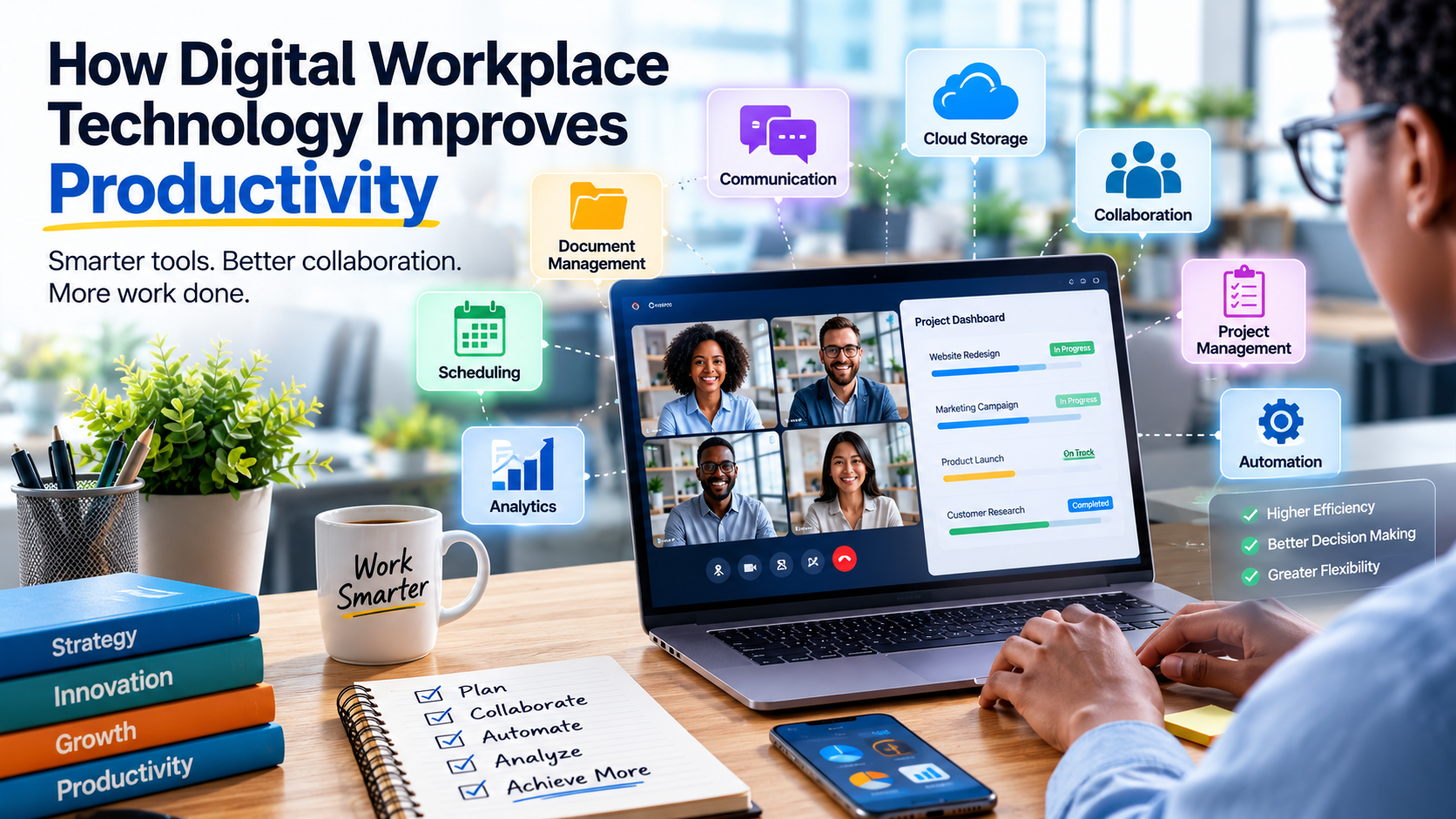
Collaboration software also overlaps heavily with business communication because conversations, documents, meetings, and tasks increasingly exist within the same digital workspace.
Businesses evaluating this category should also understand the wider role of collaboration software in coordinating people and information.
8. Project Management Communication
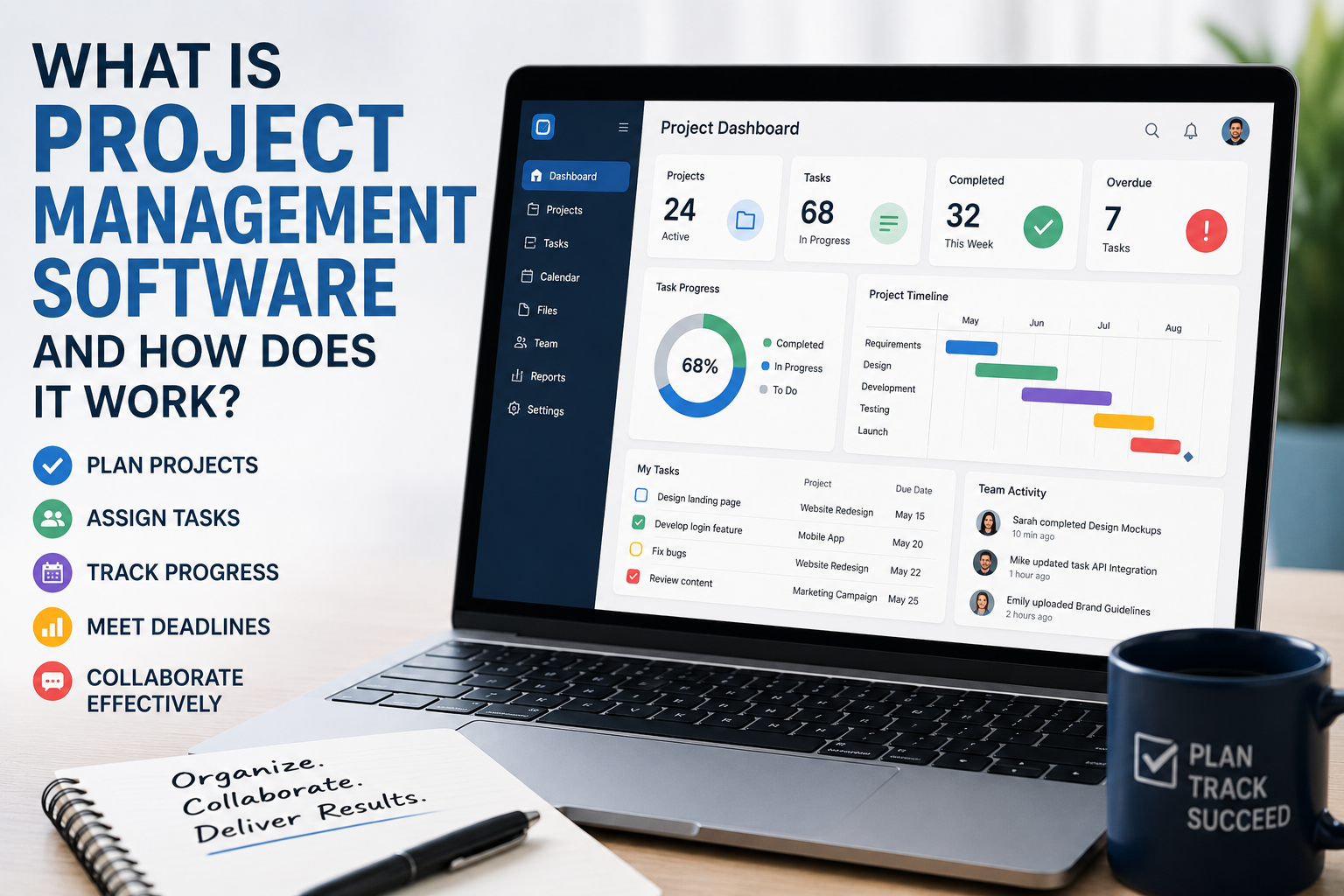
Project management software increasingly includes communication features.
Instead of discussing work entirely through email, teams can attach conversations directly to:
- Tasks
- Projects
- Deadlines
- Documents
- Milestones
This creates context around business communication.
For example, rather than searching through an email inbox to understand why a task changed, a team member can review the discussion associated with the task itself.
This becomes particularly valuable when projects involve multiple departments or geographically distributed employees.
Organizations looking to understand the broader role of these platforms can also explore what project management software is and how it works.
9. Customer Relationship Management Systems
A Customer Relationship Management, or CRM, platform stores and organizes information about customers and prospects.
CRM systems can integrate communication data from:
- Phone calls
- Sales conversations
- Customer support
- Marketing campaigns
- Meetings
This allows employees to understand a customer’s history without relying entirely on individual employees’ memories or inboxes.
CRM systems are particularly important when multiple employees interact with the same customer.
A sales representative, support agent, account manager, and marketing employee may all need access to different parts of the same customer relationship.
Businesses that want to explore this technology in greater depth can read What Is CRM Technology?.
10. Customer Support Communication Technology
Businesses use a range of technologies to communicate with customers.
These can include:
- Help desks
- Live chat
- Email support
- Contact centers
- Chatbots
- Knowledge bases
- Social messaging
- Automated notifications
The right combination depends on the company’s customers and communication requirements.
Customer support technology can also connect with CRM systems, order-management platforms, knowledge bases, and business automation tools.
The objective is to give support employees enough context to resolve customer issues efficiently.
11. Internal Knowledge Platforms
Communication is not only about conversations.
Businesses also need systems for storing information employees may need later.
Knowledge platforms can contain:
- Policies
- Procedures
- Training materials
- Frequently asked questions
- Product documentation
- Technical instructions
- Company information
A strong knowledge system reduces the need for employees to repeatedly ask the same questions.
It also prevents important information from becoming trapped in individual inboxes or private conversations.
When knowledge is searchable and centrally maintained, employees can often solve routine problems without interrupting colleagues.
12. Business Social Networks
Some organizations use internal social platforms to support informal communication and company-wide engagement.
These systems can help employees:
- Share announcements
- Celebrate achievements
- Ask questions
- Create communities
- Exchange ideas
They can be especially useful for large organizations where employees may not regularly interact with colleagues in other departments.
However, internal social platforms should have a clear purpose. Adding another communication channel without explaining how it should be used can increase fragmentation.
Cloud-Based Business Communication
Cloud technology has fundamentally changed business communication.
Traditionally, organizations had to maintain much of their own communication infrastructure.
Cloud platforms can shift many responsibilities to service providers.
Instead of operating every communication server internally, a company can subscribe to hosted services.
Potential Advantages
- Lower infrastructure requirements
- Easier scalability
- Remote access
- Automatic updates
- Centralized administration
- Faster deployment
However, businesses also become dependent on external service providers and internet connectivity.
Organizations should therefore evaluate provider security, availability, data handling, access controls, backup arrangements, contractual terms, and exit options.
Mobile Business Communication
Smartphones have made business communication increasingly mobile.
Employees can now access:
- Messaging
- Video meetings
- Business applications
- Documents
- Customer information
- Collaboration platforms
from mobile devices.
Mobile communication can improve responsiveness, but it also creates security and work-life balance challenges.
Businesses should therefore establish clear mobile security policies.
Organizations may need controls covering device authentication, application access, lost devices, sensitive data, remote access, and acceptable use.
Artificial Intelligence in Business Communication
Artificial intelligence is increasingly being integrated into communication platforms.
AI-powered communication tools can assist with tasks such as:
- Meeting transcription
- Conversation summaries
- Email drafting
- Translation
- Search
- Information extraction
- Chatbot responses
- Customer support
- Meeting scheduling
- Document analysis
AI can reduce repetitive administrative work, but organizations need to consider accuracy, privacy, security, and human oversight.
AI features should also be evaluated based on the data they can access. An assistant that can search customer records, internal documents, or employee information may require carefully designed permissions.
AI Meeting Assistants
AI meeting tools can analyze conversations and produce summaries or action items.
A meeting assistant may help identify:
- Important discussion points
- Decisions
- Assigned tasks
- Deadlines
- Follow-up actions
This can reduce the amount of manual note-taking required.
However, employees should understand when meetings are being recorded or transcribed and how that information is stored and used.
Organizations should establish appropriate policies around consent, retention, access, and sensitive conversations.
AI-Powered Customer Communication
AI can also support customer service.
Businesses may use AI-powered systems to:
- Answer common questions
- Route support requests
- Suggest responses
- Analyze customer conversations
- Provide information from knowledge bases
The best implementations typically combine automation with human escalation.
Customers should have a clear path to human assistance when an automated system cannot adequately resolve an issue.
AI-powered customer communication should also be monitored for inaccurate answers, inappropriate responses, privacy issues, and unintended disclosures.
Business Communication and Remote Work
Remote work has made communication technology particularly important.
A distributed workforce cannot rely on employees being physically present in the same office.
Remote communication systems can provide:
- Virtual meetings
- Instant messaging
- Document collaboration
- Project discussions
- Digital employee announcements
- Remote customer support
However, remote organizations need more than communication tools.
They also need clear processes defining:
- Where information should be stored
- Which communication channel should be used
- When employees are expected to respond
- Which meetings are necessary
- How urgent issues should be escalated
This distinction is important because technology provides the communication infrastructure, while organizational policies determine how that infrastructure is used.
Choosing the Right Communication Channel
One of the biggest communication challenges businesses face is deciding which tool to use.
A useful framework is:
| Communication Need | Suitable Channel |
|---|---|
| Formal announcement | Email or company platform |
| Quick question | Instant messaging |
| Complex discussion | Video or voice meeting |
| Project-specific conversation | Project platform |
| Customer history | CRM |
| Formal customer support | Help desk |
| Company documentation | Knowledge base |
| Urgent operational issue | Phone or designated alert system |
The exact choices will differ between organizations.
The important principle is to avoid allowing every communication channel to become a general-purpose inbox.
Employees should know where information belongs.
Business Communication Technology Security
Communication systems contain valuable information, making them attractive targets for cybercriminals.
Security risks can include:
- Phishing
- Account takeover
- Malware
- Data theft
- Social engineering
- Unauthorized access
- Business email compromise
- Information leakage
Businesses should therefore treat communication security as a core component of their technology strategy.
Security should be considered during technology selection, implementation, configuration, employee training, and ongoing administration.
Common Communication Security Practices
Strong Authentication
Organizations should use strong authentication mechanisms and, where appropriate, multi-factor authentication.
Access Controls
Employees should have access to the information required for their roles rather than unrestricted access to every communication system.
Encryption
Encryption can help protect information while it is transmitted or stored.
Employee Training
Employees should understand how to identify:
- Phishing messages
- Suspicious links
- Fake login pages
- Impersonation attempts
- Unexpected attachments
Regular Software Updates
Communication platforms should be maintained with appropriate security updates.
Monitoring
Organizations should monitor for unusual authentication activity, suspicious access, account compromise, and other indicators of potential attacks.
Business Email Compromise
Business email compromise occurs when attackers manipulate or compromise email communication to deceive employees or organizations.
An attacker might impersonate:
- A company executive
- A supplier
- A customer
- An employee
- A financial institution
The objective may be to obtain money, credentials, sensitive information, or access to systems.
Organizations should establish procedures for independently verifying unusual financial or sensitive requests.
For example, a request to change a supplier’s payment details should not necessarily be trusted simply because it arrives from a familiar-looking email address.
Communication Technology and Data Privacy
Business communication systems can contain sensitive information.
Examples include:
- Customer details
- Employee information
- Contracts
- Financial documents
- Business strategies
- Authentication information
- Confidential discussions
Organizations should understand what information communication platforms collect and where it is stored.
Privacy requirements can vary depending on the jurisdiction, industry, and type of information involved.
Businesses should therefore review data-processing practices, retention policies, access controls, contractual arrangements, and applicable legal requirements before deploying communication systems at scale.
Communication Technology for Small Businesses
Small businesses do not necessarily need dozens of communication applications.
A simpler technology stack can often be more effective.
A small business might need:
- Business email
- Team messaging
- Video conferencing
- Cloud document storage
- Project management
- Customer management
- Business phone or VoIP
- Customer support tools
The objective should be to create a manageable ecosystem rather than accumulating applications simply because they offer interesting features.
Small businesses should also consider whether their selected tools can grow with them.
Replacing a communication platform every few months can create unnecessary migration work and employee disruption.
Communication Technology for Large Businesses
Large organizations have more complex requirements.
They may need:
- Enterprise communication platforms
- Contact centers
- Unified communications
- Global calling
- Identity management
- Compliance controls
- Archiving
- Advanced analytics
- Integration platforms
- Centralized administration
Large businesses should also pay attention to interoperability.
If departments adopt completely disconnected communication systems, information can become fragmented.
Enterprise communication strategies should therefore consider architecture, governance, security, integration, data management, user experience, and long-term costs.
Integrating Business Communication Systems
Integration allows different applications to exchange information.
For example, a CRM could connect with:
- Business phone systems
- Customer support software
- Marketing platforms
- Calendar applications
Integration can reduce manual data entry and help employees access information from a central location.
It can also enable automated workflows.
For example:
Customer submits request → CRM creates record → Support system creates ticket → Team receives notification
When these processes are connected properly, employees do not need to manually transfer information between every system.
This is one reason communication technology increasingly overlaps with broader business automation.
The Importance of Interoperability
Interoperability refers to the ability of different systems to work together and exchange information.
Poor interoperability can create:
- Duplicate records
- Manual work
- Data silos
- Inconsistent information
- Increased administrative costs
When evaluating communication technology, organizations should consider not only the features of an individual platform but also how well it works with the rest of the technology environment.
Important considerations can include:
- APIs
- Data formats
- Authentication
- Integration platforms
- Webhooks
- Export capabilities
- Vendor documentation
Interoperability becomes particularly important as organizations add more software applications.
Communication Technology and Productivity
Technology can improve productivity, but excessive communication can have the opposite effect.
Employees may become overwhelmed by:
- Notifications
- Emails
- Group chats
- Meetings
- Alerts
- Collaboration channels
This can create a phenomenon often described as communication overload.
The solution is not necessarily more software.
Businesses should establish communication norms that encourage employees to use the appropriate channel for each situation.
For example, a quick operational question may belong in messaging, while a permanent business decision may deserve documentation in a project system or knowledge platform.
Reducing Unnecessary Meetings
One practical improvement is distinguishing between communication that requires a meeting and communication that does not.
A meeting may be appropriate when:
- A complex issue requires discussion
- Multiple stakeholders need to make a decision
- Sensitive matters require direct conversation
- Brainstorming is necessary
- Real-time collaboration is valuable
A written update may be better when:
- Information is straightforward
- No discussion is required
- People need time to review the information
- The subject can be documented clearly
Reducing unnecessary meetings can give employees more time for focused work.
Business Communication Technology Costs
Communication technology costs can include:
- Software subscriptions
- Hardware
- Internet connectivity
- Mobile services
- Phone systems
- Implementation
- Integration
- Training
- Technical support
- Security
- Data storage
Businesses should evaluate total cost of ownership rather than focusing only on subscription prices.
A cheap application may become expensive if it requires extensive customization, training, or manual work.
Costs should also include the time employees spend administering, learning, switching between, and maintaining systems.
How to Build a Business Communication Technology Strategy
A structured strategy can help organizations avoid unnecessary technology spending.
Step 1: Identify Communication Problems
Start by asking:
- Where are communication delays occurring?
- Which teams struggle to collaborate?
- Where is information being lost?
- Which tools are employees already using?
- Which processes are unnecessarily manual?
Step 2: Map Communication Workflows
Document how information moves through the organization.
For example:
Customer → Sales → CRM → Operations → Support
This reveals opportunities for integration and improvement.
Step 3: Define Requirements
Determine what the organization needs from its communication systems.
Requirements might include:
- Security
- Scalability
- Mobile access
- Integration
- Compliance
- Reliability
- Administration
- Reporting
Step 4: Audit Existing Tools
Identify applications that are:
- Essential
- Underused
- Duplicated
- Outdated
- Difficult to manage
An application audit can reveal situations where several platforms perform essentially the same function.
Step 5: Evaluate Vendors
Compare vendors based on:
- Features
- Security
- Reliability
- Pricing
- Integration
- Support
- Scalability
- Contract terms
Step 6: Create Communication Policies
Technology works best when employees understand how it should be used.
Policies can define:
- Appropriate channels
- Response expectations
- Meeting practices
- Data handling
- Security requirements
- Escalation procedures
Step 7: Measure Results
Track meaningful outcomes such as:
- Response times
- Customer satisfaction
- Meeting volume
- Employee adoption
- Support resolution time
- Communication costs
Common Business Communication Technology Mistakes
Using Too Many Applications
More tools can create more confusion.
Businesses should periodically evaluate whether each communication platform has a clear purpose.
Failing to Establish Communication Rules
Employees may not know whether to use email, chat, phone, or project software.
Clear communication policies reduce this uncertainty.
Ignoring Security
Convenient communication systems can become major security vulnerabilities if poorly configured.
Neglecting Training
Even powerful platforms can fail when employees do not understand how to use them.
Choosing Technology Without Understanding Workflows
A platform should solve an actual business problem rather than simply provide impressive features.
Ignoring Integration
Disconnected systems can create data silos.
Treating Communication as Only an IT Problem
Communication technology affects operations, HR, customer service, sales, leadership, and company culture.
Technology decisions should therefore involve the people who actually use the systems.
Best Practices for Business Communication Technology
A strong communication strategy should follow several principles.
Keep Communication Purpose-Driven
Every channel should have a clear purpose.
Reduce Information Fragmentation
Important information should have a reliable home.
Protect Sensitive Information
Security should be considered when selecting and configuring communication systems.
Train Employees
Users need practical guidance, not just software installation.
Establish Response Expectations
Not every message requires an immediate response.
Review the Technology Stack Regularly
Remove tools that no longer provide sufficient value.
Plan for Business Continuity
Critical communication systems should have contingency plans in case of outages or other disruptions.
Measure Communication Effectiveness
Look beyond usage statistics and measure whether communication actually improves business outcomes.
Future of Business Communication Technology
Business communication is likely to become increasingly integrated, intelligent, and automated.
Several developments are shaping the future.
AI-Assisted Communication
AI will increasingly help employees summarize, search, draft, translate, and organize information.
More Context-Aware Collaboration
Communication platforms may become better at connecting conversations with documents, tasks, customers, and projects.
Greater Automation
Routine communications could increasingly be triggered automatically by business events.
More Flexible Work
Hybrid and distributed organizations will continue to depend on digital communication infrastructure.
Increased Security Requirements
As communication platforms become more central to business operations, protecting accounts and information will become increasingly important.
More Unified Experiences
Businesses may increasingly favor platforms that combine messaging, meetings, calling, collaboration, AI assistance, and business applications.
These developments could make communication more efficient, but they may also increase the importance of governance. The more systems that become interconnected, the more carefully businesses need to manage access, data, security, and accountability.
Frequently Asked Questions
What is business communication technology?
Business communication technology includes digital tools and systems that organizations use to exchange information internally and externally.
What are examples of business communication technology?
Examples include email, instant messaging, video conferencing, VoIP, collaboration platforms, CRM systems, help desks, knowledge bases, and AI communication tools.
Why is communication technology important for businesses?
It can help businesses communicate faster, collaborate across locations, improve customer service, organize information, and support remote work.
What is unified communications?
Unified communications combines multiple communication methods, such as voice, video, messaging, and collaboration, into an integrated environment.
Is email still important for businesses?
Yes. Email remains valuable for formal communication, external correspondence, documentation, notifications, and many business processes.
How does AI affect business communication?
AI can assist with tasks such as transcription, summarization, drafting, translation, customer support, information retrieval, and workflow automation.
What are the biggest risks of business communication technology?
Major risks can include phishing, account compromise, data leakage, communication overload, privacy problems, system outages, and poor technology integration.
How can small businesses improve communication?
Small businesses can start with a focused technology stack covering email, messaging, meetings, document sharing, customer management, and project coordination rather than adopting too many disconnected tools.
Business Communication Technology Checklist
Before adopting or replacing a communication system, ask:
- What business problem does this technology solve?
- Who will use it?
- Which communication channels does it replace or complement?
- Can it integrate with existing systems?
- How secure is it?
- How is sensitive information protected?
- Can it scale with the organization?
- What is the total cost of ownership?
- How difficult is it to administer?
- What training will employees need?
- What happens if the service becomes unavailable?
- Can information be exported if the business changes providers?
- How will success be measured?
These questions can help organizations make technology decisions based on actual business needs rather than marketing claims.
Building a Smarter Business Communication Environment
Business communication technology is no longer simply about making phone calls or sending emails. Modern organizations rely on interconnected systems that allow employees, customers, partners, and automated services to exchange information across multiple channels.
The most effective communication strategy is not necessarily the one with the largest number of applications. It is the one that creates clear communication pathways, appropriate technology choices, strong security, reliable information access, and minimal unnecessary friction.
As cloud computing, remote work, collaboration platforms, and artificial intelligence continue to evolve, businesses will have more opportunities to automate routine communication and connect information across their organizations.
The companies that benefit most will be those that treat communication technology as a business capability rather than simply an IT expense—selecting tools around real workflows, protecting the information those tools contain, and continually improving how people communicate and collaborate.
Ultimately, the goal is not to maximize the amount of communication technology a business owns. It is to build an environment where the right information reaches the right people through the right channel, with as little unnecessary friction as possible.