What Is CRM Technology and How Do Businesses Manage Customer Relationships?
Customer relationships can determine whether a business wins a sale, keeps a loyal customer or loses an opportunity to a competitor.
But as companies grow, managing those relationships becomes increasingly complicated. Customer information can end up scattered across emails, spreadsheets, phone records, messaging platforms and different departments. Sales teams may not know what marketing has already communicated, while customer-service representatives may have limited visibility into a customer’s previous interactions.
Customer relationship management (CRM) technology is designed to bring those interactions together.
A CRM system gives businesses a structured way to collect, organize and use customer information while helping teams manage sales, marketing, service and ongoing relationships from a shared platform.
Today, CRM technology has evolved far beyond a digital address book. Modern systems can automate workflows, analyze customer behavior, integrate with other business applications and increasingly use artificial intelligence to help employees identify opportunities and respond to customers.
CRM is also one important component of the broader technology environment covered in our Complete Guide to Business Software, which explains how businesses use software across operations, communication, collaboration, data, finance and other functions.
What Is CRM Technology?
CRM stands for customer relationship management.
CRM technology refers to software and related systems that help businesses manage interactions with current and potential customers.
At its simplest, a CRM system stores information such as:
- Customer names and contact details
- Company information
- Sales opportunities
- Previous purchases
- Emails and communications
- Customer-service interactions
- Meeting notes
- Marketing activity
- Tasks and follow-ups
Instead of keeping this information in disconnected files, a CRM provides a centralized environment where authorized employees can access relevant customer information.
The purpose is not simply to store data.
The broader goal is to help businesses build stronger relationships, improve customer experiences and manage revenue-generating activities more effectively.
How Does a CRM System Work?
A CRM typically begins by collecting customer information from different sources.
A potential customer might submit a form on a company’s website. Their information can automatically enter the CRM as a new lead.
A sales representative might then contact the prospect and record the conversation. If the prospect schedules a meeting, that activity can be added to the customer’s record.
If the person eventually makes a purchase, the CRM can retain the sales history and help the business manage future communications.
This creates a timeline of the customer relationship.
Instead of asking, “What happened with this customer last month?” an employee can potentially open the customer record and see the relevant history.
The CRM may then connect that information with other business processes, including project workflows, customer support, communication systems and analytics.
CRM Creates a Shared Customer Record
One of the most valuable features of CRM technology is the centralized customer record.
Imagine a customer contacts a company about an order.
A customer-service representative can potentially see the customer’s previous purchases, earlier support requests and relevant account information without requiring the customer to explain everything again.
This can make interactions faster and more personalized.
It can also reduce the risk of departments working with outdated or incomplete information.
For larger businesses, a shared customer record can become particularly valuable because multiple employees may interact with the same customer at different stages of the relationship.
This is one reason business data management is closely connected to CRM. A customer database is only useful when information is organized, maintained and governed properly.
CRM Systems Support the Sales Process
Sales teams are among the biggest users of CRM technology.
A CRM can help representatives manage prospects from their initial contact through to a completed sale.
A typical sales pipeline might include stages such as:
- New lead
- Qualified prospect
- Initial contact
- Sales meeting
- Proposal
- Negotiation
- Closed deal
The exact stages depend on the business.
The advantage is that sales representatives and managers can see where opportunities are located within the pipeline.
Instead of relying on memory or scattered spreadsheets, the CRM provides a structured overview of ongoing sales activity.
CRM systems can also connect sales activity with broader business automation workflows, allowing predictable actions such as reminders, notifications and record updates to occur automatically.
CRM Helps Businesses Manage Leads
Not every potential customer is ready to buy immediately.
A CRM can help businesses distinguish between new leads, qualified prospects and customers who require additional follow-up.
Lead information might come from:
- Website forms
- Social media
- Advertising campaigns
- Events
- Referrals
- Phone calls
- Email campaigns
- Online purchases
Once captured, leads can be assigned to appropriate employees or teams.
The CRM can then track what happens next.
This helps reduce the possibility that a promising lead will be forgotten simply because nobody followed up.
CRM Makes Follow-Up Easier
Following up at the right time is one of the most important parts of customer relationship management.
Salespeople may have dozens or hundreds of prospects.
Without a structured system, follow-ups can easily be missed.
CRM software can create reminders for calls, meetings and emails. Some systems can automatically schedule tasks based on specific events.
For example, a CRM might remind a sales representative to contact a prospect several days after sending a proposal.
Automation does not replace the relationship.
It reduces the administrative burden associated with remembering every next step.
This is where CRM technology overlaps with the broader principles explained in the Business Automation Guide.
CRM Technology Supports Customer Service
CRM systems are not limited to sales.
Customer-service teams can use them to manage support requests, complaints, questions and service histories.
When a customer contacts support, the representative may be able to see previous interactions and relevant account information.
This can help create a more continuous experience.
A customer who has already explained a problem to one representative should not necessarily have to repeat the entire story to another representative.
CRM systems can also help businesses identify recurring problems.
If hundreds of customers contact support about the same product issue, the company may be able to identify the pattern and address the underlying problem.
CRM and Marketing Work Together
Marketing teams can use CRM information to understand customers and coordinate campaigns.
A business might divide customers into groups based on factors such as:
- Purchase history
- Location
- Industry
- Product interest
- Customer lifecycle stage
- Engagement
- Previous interactions
These segments can then support more targeted marketing.
For example, a company selling software might communicate differently with a new trial user than with a long-term enterprise customer.
CRM data can help marketers understand those differences.
Personalization Depends on Useful Data
Customers increasingly expect businesses to understand their needs.
CRM systems can contribute to personalization by giving employees access to relevant customer information.
A retailer might know what products a customer purchased previously. A software company might know which features a customer uses. A service provider might know when a customer’s contract is due for renewal.
That information can make communication more relevant.
However, personalization only works when the underlying data is accurate.
A CRM filled with outdated phone numbers, duplicate customer records and incorrect preferences can make customer interactions worse rather than better.
This makes CRM closely connected to business data management. Data quality, consistency and governance are essential if customer information is going to support reliable decisions.
CRM Automation Reduces Repetitive Work
Modern CRM platforms can automate many routine tasks.
For example, a CRM may automatically:
- Create a lead when someone submits a form
- Assign leads to sales representatives
- Send follow-up reminders
- Update opportunity stages
- Generate reports
- Trigger customer emails
- Notify employees about important events
- Create support tickets
- Schedule recurring activities
Automation allows employees to spend less time performing repetitive administrative tasks.
The most effective automation does not simply automate everything.
It automates predictable processes while leaving humans responsible for decisions that require judgment.
Businesses evaluating broader automation opportunities can also explore the Business Automation Guide.
CRM Dashboards Give Managers a Broader View
Managers often need to understand what is happening across an entire sales or service organization.
CRM dashboards can provide visual summaries of key information.
Depending on the system, a dashboard might show:
- Sales pipeline value
- Number of open opportunities
- Conversion rates
- Revenue by salesperson
- Customer-service volumes
- Response times
- Marketing campaign performance
- Customer retention
- Forecast revenue
These dashboards can make it easier to identify trends and potential problems.
For example, if sales opportunities are increasing but conversion rates are falling, management may investigate whether customers are encountering pricing, product or service issues.
CRM Analytics Can Turn Customer Data Into Insights
Collecting customer information is only useful if businesses can learn from it.
CRM analytics can help companies identify patterns in customer behavior and business performance.
Businesses may analyze questions such as:
- Which products generate the most repeat purchases?
- Which marketing channels produce the highest-quality leads?
- How long does it typically take to close a sale?
- Which customers are at risk of leaving?
- Which sales opportunities are most likely to close?
- Which customer segments generate the most revenue?
These insights can support better decision-making.
The quality of those decisions, however, depends heavily on the quality of the data being analyzed.
Businesses that want to go deeper into this area can explore the Complete Guide to Data Analytics for Business.
Artificial Intelligence Is Changing CRM Systems
AI is becoming increasingly integrated into CRM technology.
Modern CRM platforms can use artificial intelligence to help summarize customer interactions, identify sales opportunities, generate content, predict outcomes and recommend next actions.
An AI system might analyze a collection of customer interactions and highlight accounts that appear likely to need attention.
It could also summarize a long sales history before a representative enters a customer meeting.
The goal is to reduce the amount of information employees have to manually process.
AI can therefore become an additional layer on top of CRM data, helping employees find relevant information and act on it more quickly.
AI Agents Could Take CRM Automation Further
The next stage may involve AI agents that can perform multi-step CRM tasks.
Instead of simply recommending that a salesperson follow up with a customer, an AI agent could potentially prepare the message, review relevant customer information, update records and request approval before sending it.
In lower-risk situations, organizations may eventually allow agents to complete certain workflows automatically.
This could make CRM systems more proactive.
Rather than waiting for employees to search for information, the system could identify events that require attention and initiate appropriate actions.
However, businesses need strong controls around permissions, data access and human oversight when AI systems are allowed to take actions.
CRM Integrations Connect Different Business Systems
CRM software rarely operates in isolation.
Businesses often connect their CRM with other applications, including:
- Email platforms
- Accounting software
- E-commerce systems
- Marketing platforms
- Customer-support tools
- Payment systems
- Calendar applications
- Communication platforms
- Business intelligence systems
These integrations allow information to move between systems.
For example, when an online customer completes a purchase, the transaction can potentially update the customer’s CRM record automatically.
Integration reduces duplicate data entry and gives employees a more complete view of customer activity.
CRM integration can also become part of a company’s broader business software environment, where different applications work together rather than operating as isolated systems.
Cloud CRM Changed Accessibility
Traditional CRM systems were often installed and maintained on company infrastructure.
Cloud-based CRM platforms changed the model.
Employees can access cloud CRM systems through web browsers or mobile applications, subject to the organization’s security policies.
This is particularly useful for distributed sales teams and organizations with employees working from different locations.
Cloud CRM can also reduce some of the infrastructure burden associated with maintaining software internally, although businesses still need to consider security, compliance, integration and data-governance requirements.
CRM Systems Need Strong Data Security
CRM platforms can contain some of a company’s most valuable information.
Customer contact details, purchase histories, contracts, communications and business relationships may all be stored in the system.
Security is therefore essential.
Businesses need appropriate controls around:
- Authentication
- User permissions
- Data encryption
- Access monitoring
- Backups
- Account security
- Data retention
- Regulatory compliance
Not every employee needs access to every customer record.
A salesperson may need information that a marketing employee does not, while a customer-service representative may require access to a different set of data.
Role-based access controls can help organizations limit unnecessary exposure.
CRM Data Quality Is a Major Business Issue
A CRM cannot compensate for poor information.
Duplicate records can create confusion. Incorrect contact information can lead to failed communication. Missing sales information can produce inaccurate forecasts.
Businesses therefore need processes for maintaining data quality.
This may involve:
- Removing duplicate records
- Updating outdated information
- Standardizing data formats
- Validating customer information
- Establishing ownership of important data
- Monitoring data quality regularly
Data management may not be as exciting as AI-powered features, but it is fundamental to successful CRM implementation.
How Small Businesses Use CRM Technology
CRM software is not only for large corporations.
Small businesses can use CRM systems to organize customer information, track sales opportunities and maintain follow-up schedules.
For a small company, even a relatively simple CRM can replace a collection of spreadsheets and disconnected notes.
As the business grows, the CRM can provide a structured foundation for managing an expanding customer base.
The key is choosing a system that matches the company’s actual needs rather than paying for complexity that employees will not use.
CRM should also be considered alongside the other software categories covered in the broader Complete Guide to Business Software.
How Large Enterprises Use CRM Technology
Large organizations often require much more sophisticated CRM capabilities.
A multinational company may have thousands of employees interacting with customers across different countries, product lines and departments.
Its CRM system may need to support:
- Multiple sales teams
- Complex approval processes
- Regional operations
- Large customer databases
- Advanced analytics
- Marketing automation
- Customer service
- Multiple currencies
- Regulatory requirements
- Extensive integrations
Enterprise CRM therefore becomes part of the organization’s broader technology infrastructure.
For organizations managing multiple operational systems, CRM may also need to connect with ERP technology so that customer, financial, inventory and operational information can work together.
Choosing the Right CRM System
There is no universally perfect CRM platform.
Businesses should evaluate software based on their specific requirements.
Important considerations include:
Ease of Use
If employees find the system confusing, adoption can suffer.
Scalability
The platform should be able to support the organization’s growth.
Integration
The CRM should work effectively with important existing systems.
Automation
Businesses should identify which repetitive processes could realistically be automated.
Analytics
Managers should be able to obtain useful insights from customer and sales data.
Security
The platform should provide appropriate controls for protecting customer information.
Mobile Access
Employees who work away from a desk may require reliable mobile functionality.
Cost
The total cost should include licenses, implementation, customization, training, integration and ongoing administration.
Businesses should also consider how the CRM fits into their overall technology environment rather than evaluating it as an isolated application.
Why Employees Sometimes Resist CRM Systems
Even excellent CRM software can fail if employees do not use it consistently.
Sales representatives may see data entry as administrative work that takes time away from selling.
Customer-service employees may find new workflows disruptive.
Managers may introduce a CRM without explaining why it matters.
Successful implementation therefore requires more than installing software.
Employees need to understand how the system helps them.
Training should focus on real workflows rather than simply explaining every feature.
The system should also be configured around how the organization actually operates.
CRM Implementation Requires a Strategy
Businesses sometimes make the mistake of purchasing a CRM before deciding what they want it to accomplish.
A better approach begins with business objectives.
For example:
Reduce missed sales follow-ups.
Or:
Give customer-service representatives a complete view of customer interactions.
Or:
Improve visibility into the sales pipeline.
Once the objective is clear, the organization can determine which CRM features and processes are actually necessary.
This prevents technology from becoming the strategy.
Instead, the technology supports the strategy.
CRM implementation may also need to connect with broader initiatives such as digital transformation for businesses, particularly when customer data and workflows are being redesigned across multiple departments.
CRM and Project-Based Customer Work
Some businesses do more than sell products. They deliver projects, implementations, consulting engagements or other services to customers.
In these environments, CRM information may need to flow into project workflows.
For example, once a customer signs a contract, the organization may need to create implementation tasks, assign employees, establish deadlines and track delivery.
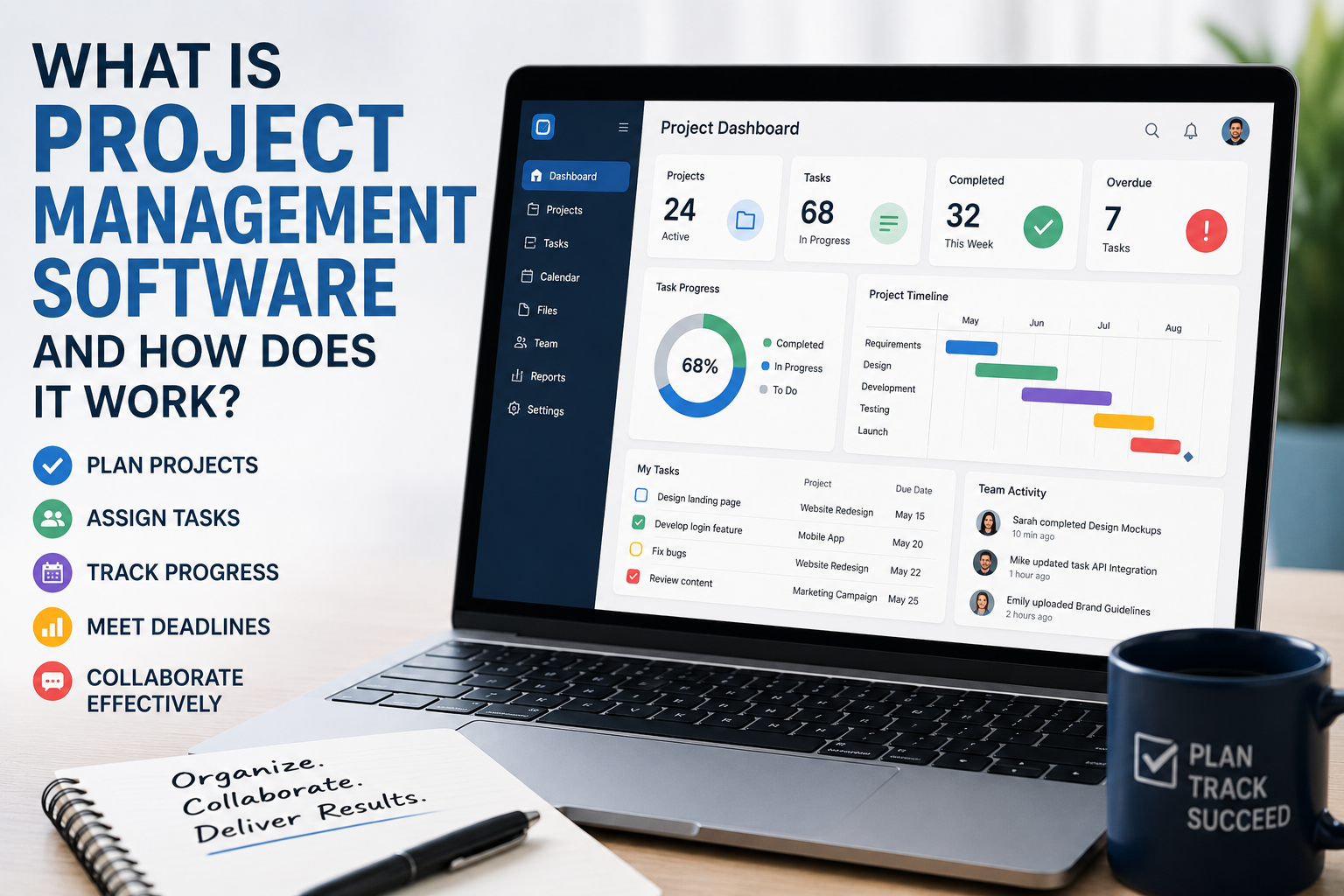
This is where CRM can work alongside project management software.
Connecting sales information with project execution can reduce the gap between winning a customer and delivering what was promised.
CRM and Collaboration
Customer relationships frequently require employees from different departments to work together.
A sales representative may need information from marketing. Customer service may need to communicate with sales. Operations may need details about a customer’s requirements.
Collaboration systems can help employees coordinate this work.
Businesses can learn more about this technology in the Complete Guide to Collaboration Software.
The goal is to ensure that customer information and internal communication support each other rather than becoming isolated systems.
The Future of Customer Relationship Management
CRM technology is evolving from a passive database into a more active business platform.
Traditional CRM systems primarily recorded what happened.
Modern systems increasingly analyze what is happening and recommend what should happen next.
AI and automation may take this further by allowing systems to perform certain actions with increasing independence.
That could make CRM platforms less like digital filing cabinets and more like intelligent operating systems for customer relationships.
But the human relationship remains important.
Customers do not necessarily want to interact with automated systems at every stage. Complex complaints, major negotiations, sensitive situations and strategic relationships often require empathy, judgment and human communication.
The strongest CRM strategies will therefore combine automation with human expertise.
Turning Customer Information Into Better Relationships
CRM technology is ultimately about more than software.
It is about helping organizations understand customers, coordinate employees and maintain relationships over time.
A well-designed CRM can give sales teams better visibility, help marketers communicate more effectively, support customer-service representatives and provide managers with better information for decision-making.
But technology alone does not create strong customer relationships.
Businesses still need useful products, responsive service, trustworthy communication and employees who understand the people they serve.
The CRM simply gives them a better system for putting those principles into practice.
As AI, automation and data integration continue to evolve, CRM technology is becoming increasingly capable of anticipating customer needs and coordinating business actions. The companies that benefit most will be those that use that technology not merely to collect more customer data, but to turn customer knowledge into better experiences and stronger long-term relationships.
CRM is therefore best understood as one component of a much larger business technology ecosystem. Organizations that want to understand that ecosystem as a whole can continue with the Complete Guide to Business Software, the central pillar covering the broader role of software in modern businesses.