What Application Security Is and How Software Is Protected From Cyber Threats
Software has become part of almost every aspect of modern life. People use applications to communicate, shop, manage finances, store personal information, work remotely, access healthcare services, and control connected devices.
That dependence has also made software an attractive target for cybercriminals.
A vulnerability in an application can provide attackers with a way to steal information, take over accounts, disrupt services, install malicious software, or gain access to other systems. For businesses, the consequences can include financial losses, regulatory penalties, reputational damage, and prolonged operational disruption.
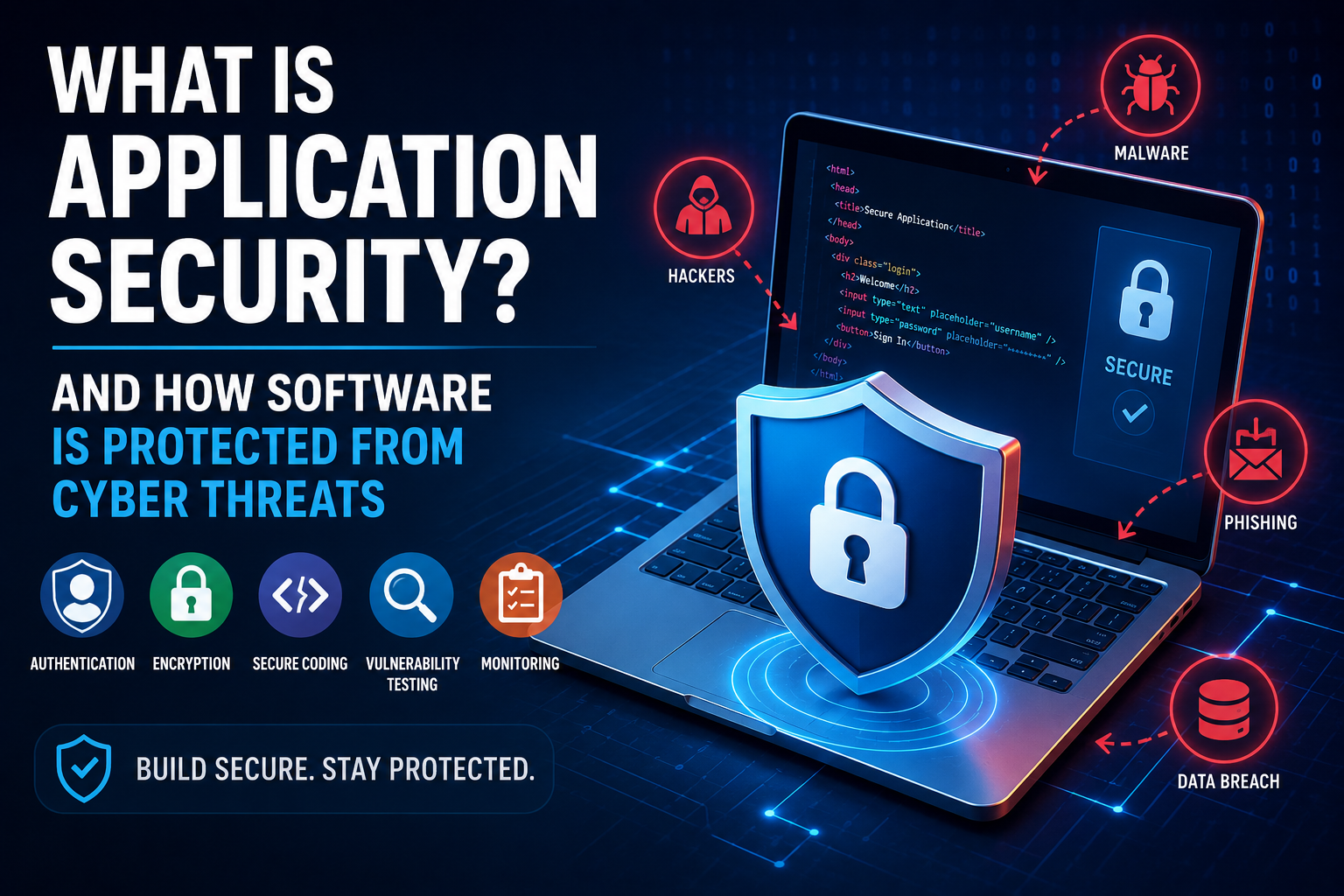
Application security is the discipline of protecting software from these threats throughout its entire lifecycle.
It involves much more than placing an application behind a firewall or installing security software. Security needs to be considered when software is designed, written, tested, deployed, updated, and maintained.
For businesses looking at the broader security picture, application security is one important part of a much larger cybersecurity strategy. Our ultimate guide to business cybersecurity explains how organizations can approach security across applications, networks, devices, data, people, and business processes.
The goal of application security is straightforward: identify weaknesses before attackers can exploit them, reduce unnecessary exposure, and limit the damage if an attack succeeds.
What Is Application Security?
Application security refers to the technologies, processes, practices, and controls used to protect software applications and their data from unauthorized access, manipulation, disruption, and other cyber threats.
It applies to many types of software, including:
- Websites
- Mobile applications
- Desktop software
- Cloud applications
- Enterprise systems
- Application programming interfaces (APIs)
- E-commerce platforms
- Banking applications
- Healthcare applications
- Internet-connected services
Application security is sometimes confused with cybersecurity as a whole.
Cybersecurity is the broader discipline of protecting digital systems, networks, devices, applications, and information.
Application security focuses specifically on the software layer and the ways attackers might exploit weaknesses in an application.
This makes application security closely connected to other areas of cybersecurity, particularly vulnerability management, data security, identity management, cloud security, and incident response.
Why Application Security Matters
Modern applications frequently handle valuable information.
Depending on the application, that information may include:
- Names and addresses
- Passwords
- Financial information
- Authentication credentials
- Business records
- Customer information
- Health-related information
- Private communications
- Location data
- Intellectual property
An application does not have to be completely compromised for a security incident to become serious.
A single vulnerability might allow an attacker to access one account. A more serious flaw could provide access to an entire database or internal network.
Application security is therefore an important part of protecting both users and organizations.
It also has a direct relationship with data security. An application may have strong security controls, but if it exposes sensitive information through an insecure API, weak authorization mechanism, or vulnerable component, the underlying data can still be placed at risk.
Security Begins Before Software Is Written
One of the most important principles of application security is that security should not be added only after development is complete.
Developers and security teams can consider security requirements during the design stage.
This process can involve asking questions such as:
- What information will the application handle?
- Who should have access to it?
- What happens if an account is compromised?
- Which components will communicate with external systems?
- What happens if a user submits malicious input?
- Which actions require additional verification?
- How should sensitive information be stored?
- What should happen when a security control fails?
Thinking about these questions early can prevent expensive architectural problems later.
This approach is often associated with secure-by-design thinking: security becomes part of the application’s architecture instead of being treated as something to add shortly before launch.
Secure Software Development
Application security is closely connected to the software development lifecycle.
A secure development process incorporates security activities into stages such as:
- Planning
- Design
- Coding
- Testing
- Deployment
- Monitoring
- Maintenance
This approach is sometimes described as secure software development or DevSecOps when security is integrated throughout modern development and operations practices.
Instead of treating security as a final inspection, teams make it part of everyday software development.
Security requirements can therefore be considered alongside functionality, performance, reliability, and user experience.
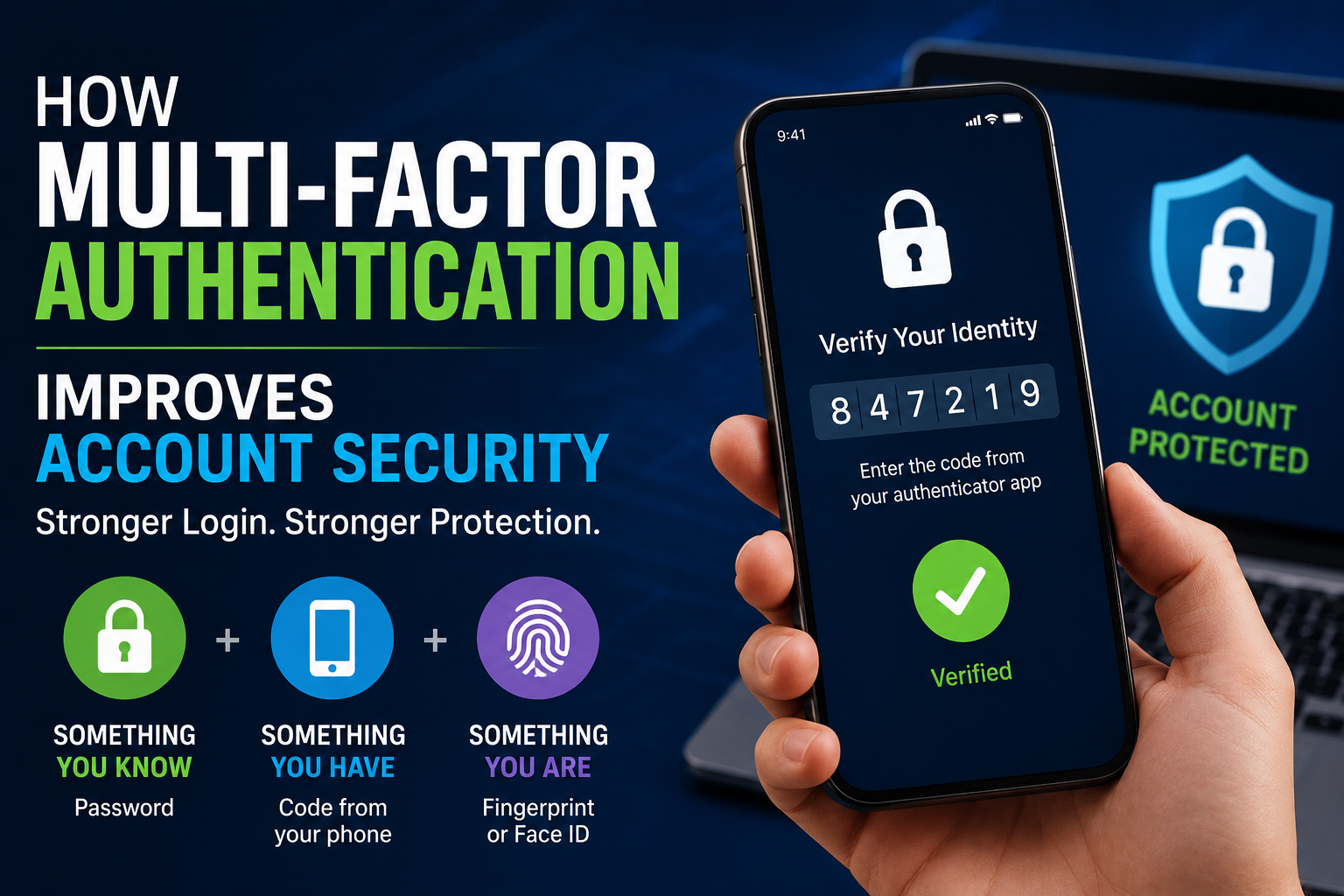
Authentication Protects User Accounts
Authentication is the process of determining whether someone is actually the person they claim to be.
A common example is logging into an application with a username and password.
Modern applications can strengthen authentication with additional mechanisms, including:
- Multi-factor authentication
- Passkeys
- Security keys
- One-time verification codes
- Biometric authentication
- Device-based authentication
Strong authentication reduces the likelihood that stolen credentials alone will be enough to access an account.
For applications containing sensitive information, authentication is one of the most important security controls.
However, authentication is only part of account security. An application must also determine what an authenticated user is allowed to do.
Authorization Determines What Users Can Do
Authentication answers the question:
Who are you?
Authorization answers a different question:
What are you allowed to access or change?
An authenticated user should not automatically have access to every function within an application.
For example, an employee may be allowed to view customer records but not modify financial settings.
An administrator may have broader privileges than a standard user.
Effective authorization ensures that users can perform only the actions appropriate to their roles and permissions.
The Principle of Least Privilege
One important security principle is least privilege.
It means users, applications, services, and processes should receive only the permissions they actually need.
If an application component does not need administrative access, it should not have administrative access.
If an employee only needs to view certain records, there is little reason to give that employee permission to modify every record in the system.
Limiting privileges reduces the potential damage caused by compromised accounts or software components.
Least privilege also connects application security with broader cybersecurity risk management. Understanding how security weaknesses could affect business systems is an important part of cybersecurity risk management, particularly when organizations need to decide which weaknesses deserve the fastest response.
Protecting Passwords
Applications should never store user passwords as plain text.
Instead, passwords should be processed using appropriate password-hashing mechanisms designed specifically for password storage.
A secure password-storage system makes it significantly harder for attackers to recover original passwords if a database is stolen.
Organizations should also encourage strong authentication practices and avoid creating unnecessary password-recovery weaknesses.
Password security is particularly important because people sometimes reuse passwords across multiple services.
A compromised password can therefore become a gateway to other accounts.
Encryption Protects Data
Encryption converts information into a form that unauthorized people cannot easily understand.
It can protect data both:
- In transit, while information moves between systems
- At rest, while information is stored
Secure connections using modern encryption protocols help protect information exchanged between applications and users.
Encryption can also protect sensitive information stored in databases, backups, storage systems, and other infrastructure.
However, encryption is not a complete security solution.
Organizations still need strong access controls, secure key management, authentication, monitoring, and appropriate system design.
For a broader look at how encryption, access controls, backups, authentication, and other measures work together to protect digital information, see our guide to what data security is and how digital information can be protected.
Input Validation Helps Block Malicious Data
Applications constantly receive input.
Users may enter information into:
- Login forms
- Search boxes
- Payment forms
- Comment fields
- File uploads
- API requests
Attackers can attempt to exploit applications by submitting specially crafted input.
Input validation involves checking that information received by an application conforms to expected rules.
For example, an application expecting an email address should not blindly trust any string submitted to that field.
Validation can reduce opportunities for attackers to manipulate how software interprets data.
However, validation should be implemented carefully and should not be treated as the sole defense against malicious input.
SQL Injection Is a Major Application Security Risk
SQL injection occurs when attackers manipulate application input in ways that interfere with database queries.
If an application constructs database commands unsafely, malicious input could potentially cause unintended database operations.
Consequences can include unauthorized access to information, modification of records, or destruction of data.
Developers can reduce SQL injection risks by using techniques such as parameterized queries and appropriate database-access controls rather than constructing database commands from untrusted input.
Cross-Site Scripting Can Attack Web Users
Cross-site scripting, commonly abbreviated as XSS, is another major web application security concern.
It occurs when an application improperly handles untrusted content that is later interpreted by a user’s browser as executable code.
An attacker may attempt to use XSS to manipulate what users see, steal information accessible through the browser, or perform actions within an affected session.
Secure output handling, appropriate content-security policies, input validation, and other defensive techniques can help reduce this risk.
Cross-Site Request Forgery
Cross-site request forgery, or CSRF, involves tricking an authenticated user’s browser into sending an unintended request to an application.
A vulnerable application may interpret that request as legitimate because the user’s authentication information is automatically included.
Security mechanisms such as anti-CSRF tokens, appropriate cookie protections, and careful request validation can reduce the risk.
APIs Need Security Too
Modern applications often communicate through APIs.
An API allows different software systems to exchange information and perform actions.
For example, a mobile application may communicate with a company’s backend through APIs.
If those APIs are poorly protected, attackers may be able to:
- Access unauthorized information
- Manipulate records
- Abuse services
- Bypass application controls
- Enumerate user accounts
- Send excessive requests
API security therefore needs to be treated as a fundamental component of application security rather than an afterthought.
Because APIs often provide direct access to business functionality and data, authentication and authorization need to be applied carefully to every sensitive operation.
Rate Limiting Helps Prevent Abuse
Attackers can sometimes overwhelm application functions by making huge numbers of requests.
Rate limiting restricts how frequently a user, device, account, or network can perform particular actions within a given period.
It can help protect against:
- Automated login attempts
- Credential attacks
- Excessive API requests
- Scraping
- Certain denial-of-service scenarios
- Automated abuse
Rate limiting should be designed carefully because legitimate users can also generate large numbers of requests.
Session Security Protects Logged-In Users
After a user successfully authenticates, applications generally need a way to maintain that authenticated session.
If session management is poorly designed, attackers may attempt to steal or manipulate session information.
Secure session management includes considerations such as:
- Secure session identifiers
- Appropriate cookie settings
- Session expiration
- Reauthentication for sensitive actions
- Protection against session fixation
- Secure logout behavior
A user’s password can be perfectly protected while the account remains vulnerable if an attacker can steal an active session.
Secure File Uploads Matter
File-upload features can create significant security risks.
Applications that allow users to upload images, documents, videos, or other files need to determine what types of files are acceptable and how those files are processed and stored.
Security measures may include:
- File-type validation
- Size limits
- Malware scanning
- Safe storage locations
- Renaming uploaded files
- Restricting executable content
- Separating uploaded content from sensitive application components
The basic principle is simple: never assume that an uploaded file is safe simply because a user submitted it.
Software Dependencies Can Introduce Vulnerabilities
Modern applications rarely consist entirely of code written by one development team.
They often rely on thousands of external libraries, frameworks, packages, APIs, and other components.
These dependencies can introduce security vulnerabilities.
If a widely used library contains a serious flaw, applications that depend on it may also become vulnerable.
This makes software supply-chain security increasingly important.
Organizations need to know which components their applications use, monitor them for vulnerabilities, and update them when appropriate.
Dependency management is also closely related to broader vulnerability management. Vulnerability management helps organizations move beyond simply discovering vulnerable software by assessing which weaknesses create the greatest practical risk and determining how they should be addressed.
Vulnerability Scanning Helps Find Weaknesses
Security teams use automated tools to identify potential weaknesses in applications and their supporting infrastructure.
These tools can scan for issues such as:
- Known vulnerable dependencies
- Misconfigurations
- Exposed services
- Weak security settings
- Certain coding flaws
- Outdated components
Automated scanning can cover large environments quickly.
However, automated tools are not perfect.
They can produce false positives, miss complex vulnerabilities, or fail to understand how different weaknesses interact.
Human analysis therefore remains important.
A mature security program combines automated discovery with validation, prioritization, remediation, and verification.
Penetration Testing Simulates Attacks
Penetration testing, often called pentesting, involves authorized security professionals attempting to identify and exploit weaknesses in systems.
The objective is not simply to find problems.
A well-designed penetration test can help an organization understand:
- How an attacker might enter a system
- Which weaknesses could be chained together
- What information could be reached
- Whether security controls detect the activity
- How much damage could potentially occur
Testing should be performed with appropriate authorization and carefully defined boundaries.
Penetration testing is particularly useful because it can reveal how multiple individual weaknesses might combine into a more serious attack path.
Code Review Helps Find Security Problems
Developers and security professionals can examine source code for vulnerabilities.
Manual code review can identify issues that automated tools might overlook.
Reviewers may look for:
- Unsafe data handling
- Authentication weaknesses
- Authorization errors
- Hard-coded secrets
- Insecure cryptographic practices
- Improper error handling
- Dangerous functions
- Inadequate validation
Security-focused code reviews are particularly useful for sensitive applications and high-risk functionality.
Static Application Security Testing
Static application security testing, or SAST, examines source code or compiled code without necessarily executing the application.
SAST tools can identify potentially dangerous coding patterns during development.
Because testing can occur before software reaches production, developers may discover vulnerabilities early.
Finding and fixing security issues earlier is generally preferable to discovering them after an application has been deployed.
Dynamic Application Security Testing
Dynamic application security testing, or DAST, evaluates an application while it is running.
Instead of examining source code directly, DAST tools interact with the application from the outside and look for weaknesses in its behavior.
This can provide a different perspective from static analysis.
Organizations may use multiple testing approaches because no single security-testing technique can identify every possible vulnerability.
Security Testing in the Development Pipeline
Modern development teams increasingly integrate automated security checks into their development pipelines.
A code change may automatically trigger:
- Dependency scanning
- Static analysis
- Secret detection
- Configuration checks
- Unit tests
- Security tests
If a serious issue is discovered, the pipeline can prevent the software from moving to later stages until the problem is addressed.
This helps make security part of normal development rather than a separate process performed only before major releases.
Secrets Need Special Protection
Applications often require credentials to access other systems.
These may include:
- API keys
- Database passwords
- Encryption keys
- Service credentials
- Access tokens
Hard-coding secrets directly into source code is dangerous.
If source code is accidentally exposed, an attacker may gain access to the associated services.
Organizations can instead use dedicated secret-management systems and carefully control access to sensitive credentials.
Secrets should also be rotated appropriately and monitored for accidental exposure.
Error Messages Can Reveal Too Much
Error messages are useful for developers and users, but overly detailed messages can unintentionally help attackers.
An application that reveals database structures, internal file paths, software versions, or debugging information may expose information that can be used during an attack.
Secure applications should provide useful error information without unnecessarily revealing internal technical details.
Detailed diagnostic information should generally be handled through protected logging and monitoring systems rather than exposed publicly.
Logging and Monitoring Help Detect Attacks
Prevention is only one part of application security.
Organizations also need to know when suspicious activity is occurring.
Applications can generate logs containing information about events such as:
- Login attempts
- Authentication failures
- Permission changes
- Sensitive operations
- Configuration changes
- API activity
- Security errors
Security teams can analyze these logs to identify unusual behavior.
Effective monitoring can help organizations detect attacks earlier and respond before an incident becomes more serious.
Security Updates Keep Software Protected
Even a well-designed application can become vulnerable over time.
New weaknesses are discovered continuously in operating systems, libraries, frameworks, applications, and infrastructure.
Security updates address known vulnerabilities.
Organizations therefore need reliable processes for:
- Monitoring security advisories
- Evaluating vulnerabilities
- Testing updates
- Applying patches
- Tracking systems that remain unpatched
Consumers also benefit from keeping applications, operating systems, browsers, and devices updated.
Security updates are closely connected to vulnerability management because a newly disclosed vulnerability may require organizations to identify affected applications, evaluate its severity, and prioritize remediation.
Secure Configuration Matters
Software can be secure in theory but vulnerable because it has been configured incorrectly.
Examples of security-sensitive configuration include:
- Access permissions
- Database settings
- Network exposure
- Authentication requirements
- Encryption settings
- Cloud storage permissions
- Logging configuration
Secure defaults can reduce the chance of accidental exposure.
Organizations should also regularly review configurations because systems can change over time.
A configuration that was appropriate when an application was deployed may become risky as the application’s functionality, users, integrations, or surrounding infrastructure change.
Cloud Applications Create New Security Responsibilities
Cloud computing has changed how applications are developed and operated.
Organizations may rely on cloud providers for infrastructure, databases, storage, computing resources, and other services.
Cloud environments provide powerful capabilities, but they also introduce configuration and access-control challenges.
A storage system that is accidentally exposed to the public, for example, can create a serious data-security incident.
Cloud application security therefore requires understanding both the application itself and the infrastructure on which it operates.
Organizations also need to understand which security responsibilities belong to the cloud provider and which remain with the customer.
Zero Trust Can Strengthen Application Security
The zero-trust security approach is based on the idea that access should not automatically be trusted simply because a user or device is inside a particular network.
Instead, access decisions can consider factors such as:
- User identity
- Device status
- Requested resource
- Location
- Risk
- Authentication strength
- Context
For applications, this can reinforce the principle that every request should be appropriately authenticated and authorized.
Zero trust can therefore complement least privilege by limiting access according to the specific resources and actions a user or service actually requires.
Security Should Assume That Some Controls Will Fail
No security system is perfect.
An employee may fall for phishing.
A password may be stolen.
A vulnerability may remain undiscovered.
A third-party service may be compromised.
An attacker may bypass a security control.
Good application security therefore uses defense in depth.
Instead of relying on one security mechanism, organizations combine multiple layers, such as:
- Strong authentication
- Authorization
- Encryption
- Secure coding
- Network controls
- Monitoring
- Rate limiting
- Backups
- Incident response
- Vulnerability management
If one layer fails, another may still prevent or limit the attack.
This layered approach is important because application security does not exist in isolation. It forms part of the broader collection of controls described in a comprehensive business cybersecurity strategy.
Backups Are Part of Application Security
Backups are often associated with disaster recovery, but they can also play an important role in cybersecurity.
Ransomware and other attacks can make data unavailable or corrupt it.
Reliable backups can give organizations a way to restore critical information without depending entirely on attackers.
Backups should themselves be protected.
If attackers can access and delete the backup systems, the organization may lose one of its most important recovery mechanisms.
Regular restoration testing is therefore important. An organization should know not only that backups exist but also that critical information can actually be recovered.
Incident Response Matters When Attacks Occur
Even organizations with strong security controls can experience incidents.
An incident-response plan establishes how the organization should react.
It can define:
- Who investigates the incident
- Who has authority to make decisions
- How affected systems are isolated
- How evidence is preserved
- How customers are informed
- How regulators are notified when required
- How systems are restored
- How lessons are incorporated into future security improvements
Preparation can significantly reduce confusion during a real incident.
Application security controls can reduce the likelihood of an incident, but incident response helps organizations manage the consequences when preventive measures do not stop an attack.
Application Security Is a Shared Responsibility
Developers play a major role in application security, but they are not solely responsible.
Security can involve:
- Developers
- Security engineers
- IT teams
- System administrators
- Product managers
- Executives
- Vendors
- Employees
- End users
A secure application can still be compromised if employees have excessive privileges or users ignore security warnings.
Likewise, strong security policies cannot compensate for software containing serious vulnerabilities.
Security works best when it is treated as a shared organizational responsibility.
This is one reason application security should be incorporated into the organization’s broader cybersecurity governance rather than being treated as a development-team-only concern.
Users Also Have a Role
Consumers and employees can reduce application-security risks through basic security practices.
These include:
- Keeping software updated
- Using strong and unique passwords
- Enabling multi-factor authentication
- Avoiding suspicious links
- Installing applications from trusted sources
- Reviewing application permissions
- Protecting devices with screen locks
- Reporting suspicious activity
- Removing applications that are no longer needed
These steps cannot eliminate all cyber risks, but they can reduce many common attack opportunities.
Application Security and Privacy Are Connected
Security and privacy are closely related but are not identical.
Security focuses on protecting systems and information from unauthorized access, alteration, disruption, and destruction.
Privacy focuses more broadly on how personal information is collected, used, shared, retained, and handled.
An application can therefore have strong security controls while still collecting more personal information than necessary.
Privacy-conscious application design considers data minimization and asks whether information needs to be collected in the first place.
This relationship is particularly important for applications that process customer information, financial records, employee data, or other sensitive information.
Secure-by-Design Thinking
The strongest application security strategies increasingly follow a secure-by-design philosophy.
Instead of asking how to protect an application after it has been created, developers consider security from the beginning.
This means security requirements become part of product design.
For example, an application might be designed to:
- Collect less sensitive information
- Use secure authentication by default
- Limit user privileges
- Encrypt sensitive data
- Separate critical systems
- Provide safe default configurations
- Make dangerous actions harder to perform accidentally
Security then becomes part of the architecture rather than a collection of patches added later.
Artificial Intelligence Is Changing Application Security
Artificial intelligence is becoming increasingly relevant to both attackers and defenders.
Security teams can use AI-assisted systems to help analyze large amounts of security data, identify unusual behavior, prioritize vulnerabilities, and assist with code analysis.
Attackers can also use AI to automate parts of their operations, generate convincing social-engineering content, discover weaknesses, or accelerate other malicious activities.
This creates a continuing technological race.
As applications become more intelligent, their security systems will also need to evolve.
Organizations should therefore consider how AI components, AI-generated code, external AI services, data access, and model integrations affect the application’s overall security architecture.
The Future of Application Security
Software is becoming more interconnected.
Applications communicate with cloud services, APIs, databases, mobile devices, artificial intelligence systems, third-party platforms, and other applications.
That interconnectedness creates enormous opportunities but also expands the potential attack surface.
Future application-security strategies will likely place increasing emphasis on:
- Secure software supply chains
- Identity-based security
- Automated vulnerability detection
- API security
- Cloud security
- Software provenance
- Continuous security testing
- AI-assisted defense
- Privacy-preserving technologies
- Secure-by-design development
The fundamental principle, however, will remain the same: understand what can go wrong, reduce the likelihood of compromise, and limit the consequences when security controls are bypassed.
Protecting Software Is an Ongoing Process
Application security is not a single product that an organization can purchase and install.
It is a continuous process.
Developers need to write safer code. Security teams need to test applications. Organizations need to patch vulnerabilities. Administrators need to configure systems correctly. Businesses need to monitor suspicious activity. Users need to protect their accounts and devices.
Most importantly, security needs to evolve as applications, technologies, and threats change.
A modern application may contain millions of lines of code, communicate with dozens of external services, and process enormous amounts of information. Protecting it requires multiple layers working together.
The most secure approach is therefore not to assume that an application can be made completely immune to attack.
It is to design software to resist common attacks, detect suspicious behavior, reduce unnecessary exposure, and recover quickly when something goes wrong.
As software becomes increasingly central to everyday life and business, application security will remain one of the most important foundations of a trustworthy digital world.
More importantly, application security should be viewed as one component of a larger security architecture. Businesses that want to strengthen their overall defenses should approach applications alongside data protection, vulnerability management, identity controls, employee security, infrastructure protection, monitoring, and incident response.
That broader perspective is what turns individual application-security practices into a coherent cybersecurity program.