Data Backup Guide
In today’s digital world, data is one of our most valuable assets. From family photos and personal documents to business records and critical applications, losing important files can have serious financial, professional, and emotional consequences. Hardware failures, cyberattacks, accidental deletion, natural disasters, and software corruption can all result in unexpected data loss.
Fortunately, data loss is often preventable with a well-planned backup strategy. Regular backups provide peace of mind by ensuring that important information can be recovered quickly when something goes wrong.
This guide explains what data backup is, why it matters, the different backup methods available, best practices for protecting your data, and how individuals and businesses can build an effective backup strategy.
For businesses moving their systems and data into modern computing environments, backup is also an important part of the broader cloud computing infrastructure.
What Is Data Backup?
Data backup is the process of creating copies of digital information so it can be restored if the original data is lost, damaged, corrupted, or accidentally deleted.
Backups may include:
-
Documents
-
Photos
-
Videos
-
Emails
-
Databases
-
Software applications
-
Operating systems
-
Configuration files
-
Business records
-
Entire computer systems
A reliable backup ensures that important information remains available even when the original files are no longer accessible.
Why Data Backup Matters
Unexpected data loss can happen at any time.
A proper backup strategy helps protect against:
-
Hardware failure
-
Accidental deletion
-
Ransomware attacks
-
Malware infections
-
Theft of devices
-
Fire or flood damage
-
Software corruption
-
Power failures
-
Human error
-
Natural disasters
Regular backups reduce downtime and make recovery faster and less stressful.
For organizations handling large amounts of information, backup should also be considered alongside broader business data management practices. Managing data effectively involves knowing what information exists, where it is stored, who can access it, and how it should be protected.
Common Causes of Data Loss
Understanding potential risks helps emphasize the importance of backups.
Hardware Failure
Hard drives and solid-state drives can fail without warning, making stored data inaccessible.
Human Error
Files may be accidentally deleted, overwritten, or formatted.
Cybersecurity Threats
Ransomware and malware can encrypt or destroy valuable information.
Software Problems
Operating system crashes or application errors may corrupt important files.
Physical Damage
Fire, flooding, theft, or accidental damage can permanently destroy storage devices.
Types of Data Backups
Different backup methods serve different needs.
Full Backup
A full backup copies every selected file.
Advantages:
-
Simplifies recovery
-
Complete copy of all data
Disadvantages:
-
Requires more storage
-
Takes longer to complete
Incremental Backup
Incremental backups save only the files that have changed since the previous backup.
Advantages:
-
Faster
-
Uses less storage
Disadvantages:
- Recovery may require multiple backup sets
Differential Backup
Differential backups save all changes made since the last full backup.
Advantages:
-
Faster recovery than incremental backups
-
Smaller than full backups
Disadvantages:
- Storage requirements grow over time until the next full backup
Backup Storage Options
Choosing the right storage location is an important part of any backup strategy.
External Hard Drives
Portable drives offer affordable, high-capacity local backups.
Network Attached Storage (NAS)
NAS systems allow multiple devices to back up data to a centralized location.
Cloud Backup
Cloud services automatically store encrypted copies of files on remote servers.
Benefits include:
-
Remote access
-
Automatic synchronization
-
Off-site protection
-
Scalability
-
Disaster recovery
Businesses building cloud-based environments can also explore the Complete Guide to Cloud Computing for Businesses to understand the broader infrastructure and services that support cloud-hosted applications and data.
USB Flash Drives
Suitable for small collections of important files but generally less appropriate for comprehensive backup strategies.
Businesses that rely heavily on databases should also understand the role those systems play in storing organizational information. The complete guide to databases provides useful background on how databases organize and manage data.
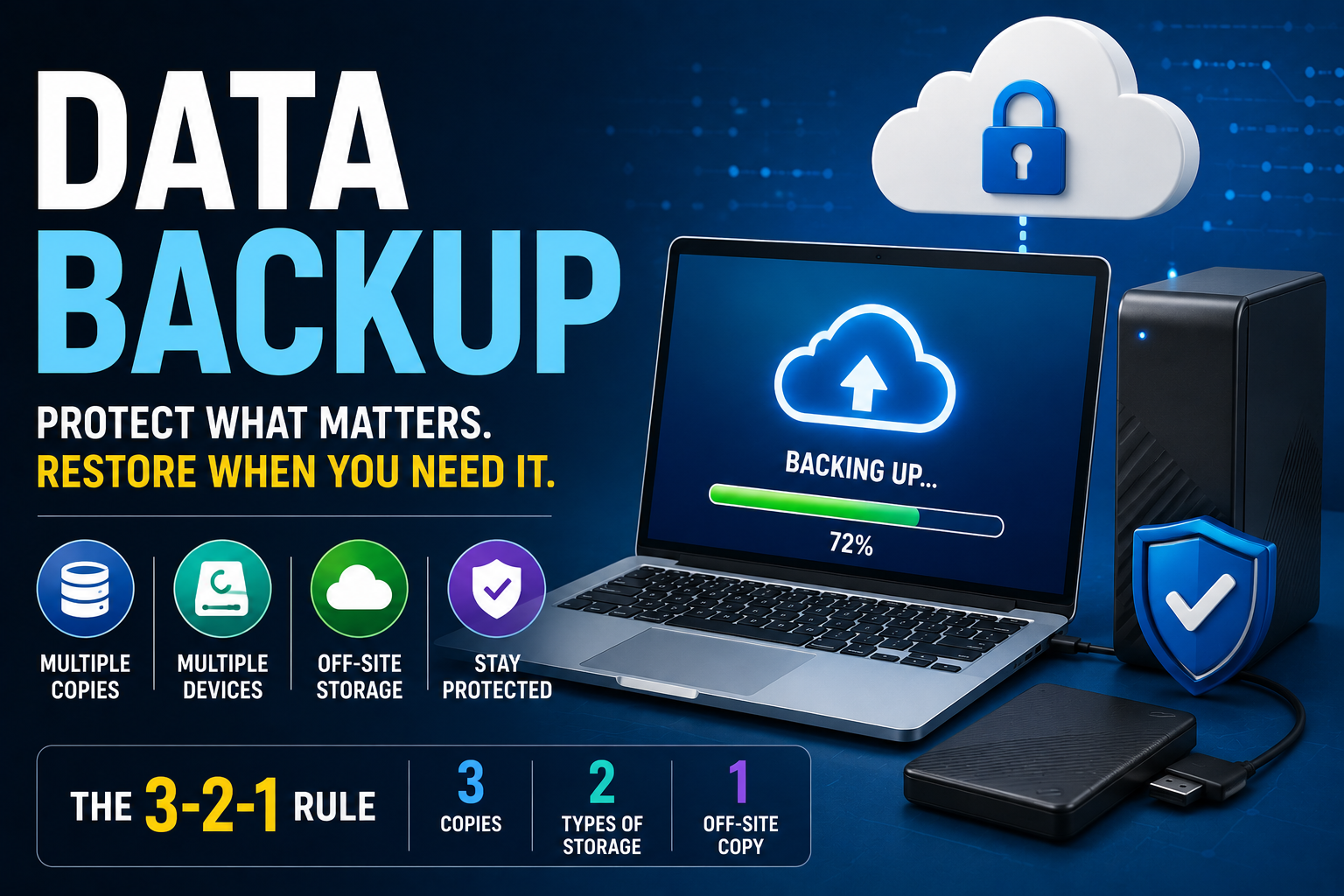
The 3-2-1 Backup Rule
One of the most widely recommended backup strategies is the 3-2-1 rule.
It recommends maintaining:
-
3 copies of your data
-
2 different types of storage media
-
1 copy stored off-site
This approach reduces the likelihood that a single event will destroy every copy of your information.
Automatic vs. Manual Backups
Automatic Backups
Automatic backup software performs scheduled backups without requiring user intervention.
Advantages include:
-
Consistency
-
Reduced human error
-
Time savings
-
Better protection
Manual Backups
Manual backups provide greater control but rely on users remembering to perform them regularly.
For most users, automated backups offer greater reliability.
What Should You Back Up?
Not every file requires the same level of protection, but important data should always be included.
Priority items include:
-
Personal documents
-
Financial records
-
Photos
-
Videos
-
Business files
-
Email archives
-
Contacts
-
Project files
-
Website data
-
System configurations
Businesses may also back up databases, virtual machines, and application servers.
Encryption and Backup Security
Backups should be protected just as carefully as the original data.
Good security practices include:
-
Encrypt backup files
-
Use strong passwords
-
Enable multi-factor authentication
-
Restrict access permissions
-
Keep backup software updated
-
Secure physical storage devices
Protecting backups helps prevent unauthorized access if devices are lost or stolen.
Testing Your Backups
A backup is only valuable if it can be restored successfully.
Regular testing helps verify:
-
File integrity
-
Recovery speed
-
Backup completeness
-
Software compatibility
-
Storage reliability
Organizations often perform routine recovery tests to ensure business continuity.
Testing is particularly important when backup systems interact with databases, applications and other connected systems. Understanding database software and the systems businesses use to manage stored information can help organizations plan recovery procedures more effectively.
Cloud Backup Advantages
Cloud-based backups have become increasingly popular for both individuals and businesses.
Benefits include:
-
Automatic synchronization
-
Geographic redundancy
-
High availability
-
Remote access
-
Flexible storage capacity
-
Disaster recovery support
Many cloud providers also offer version history, allowing users to restore earlier versions of files.
Cloud backup can be especially useful when organizations need to maintain copies away from their primary physical location.
Common Backup Mistakes
Even regular backups can fail if best practices are ignored.
Common mistakes include:
-
Never testing recovery
-
Keeping only one backup copy
-
Backing up infrequently
-
Ignoring ransomware protection
-
Failing to encrypt backups
-
Using outdated storage devices
-
Overwriting previous backups
-
Not backing up mobile devices
-
Forgetting cloud accounts
-
Assuming RAID replaces backups
Avoiding these mistakes significantly improves data protection.
Business Backup Strategies
Businesses often require more comprehensive backup solutions than individuals.
Typical business practices include:
-
Scheduled automated backups
-
Off-site replication
-
Disaster recovery planning
-
Database backups
-
Virtual machine snapshots
-
Continuous monitoring
-
Recovery testing
-
Compliance documentation
A well-designed backup strategy minimizes operational disruption during unexpected incidents.
As businesses increasingly rely on connected cloud applications and services, backup strategies also need to account for how systems communicate and exchange information. Understanding APIs and integrations for developers can be useful when planning automated workflows involving cloud applications, storage and recovery systems.
Emerging Trends in Data Backup
Backup technologies continue evolving alongside cloud computing and cybersecurity.
Current developments include:
-
Artificial intelligence for backup optimization
-
Immutable backups
-
Ransomware detection
-
Cloud-native backup solutions
-
Continuous data protection
-
Hybrid cloud storage
-
Automated recovery workflows
-
Predictive hardware monitoring
These innovations help improve both backup reliability and recovery speed.
Best Practices for Effective Backups
To improve long-term protection:
-
Back up data regularly.
-
Automate backup schedules whenever possible.
-
Follow the 3-2-1 backup rule.
-
Encrypt sensitive information.
-
Test recovery procedures periodically.
-
Update backup software.
-
Monitor backup completion reports.
-
Replace aging storage hardware when necessary.
-
Protect backups from ransomware.
-
Document recovery procedures.
Consistency is more important than relying on occasional manual backups.
Protecting Data Before Disaster Strikes
Data backup is one of the simplest and most effective ways to protect valuable digital information. Whether you’re safeguarding personal memories, academic work, business records, or mission-critical systems, a reliable backup strategy ensures that important data can be recovered when unexpected events occur.
By combining automated backups, secure storage, regular testing, and proven practices such as the 3-2-1 rule, individuals and organizations can significantly reduce the risk of permanent data loss. As technology continues to evolve and cyber threats become more sophisticated, maintaining dependable backups remains an essential part of responsible digital security.