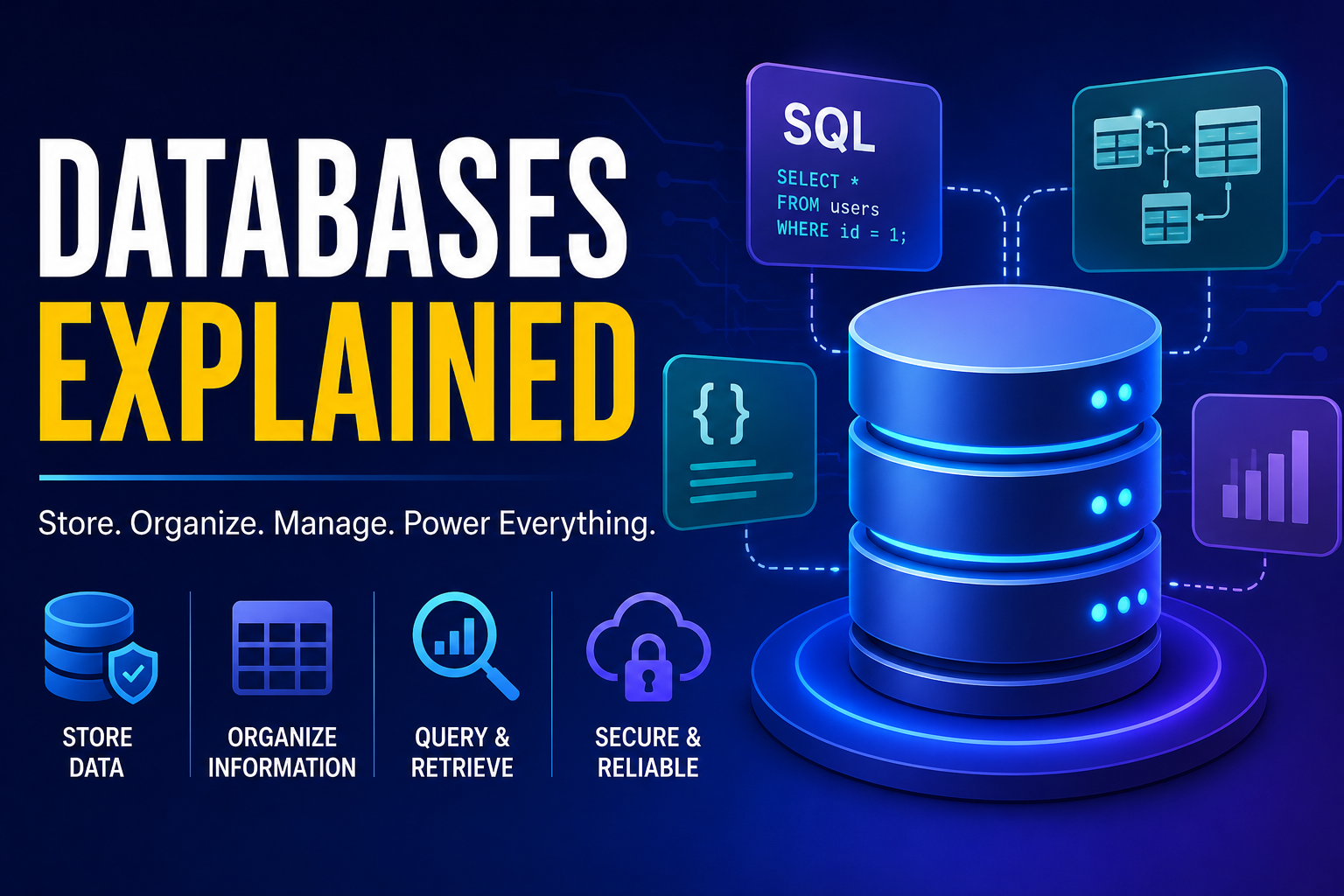
Databases Explained
Databases are the foundation of nearly every modern software application. From online banking and e-commerce websites to mobile apps, social media platforms, and enterprise systems, databases store, organize, and manage the vast amounts of information that power today’s digital world. Whenever users create an account, place an order, send a message, or search for information, a database is typically working behind the scenes.
As businesses continue generating enormous volumes of data, efficient database management has become increasingly important. Modern databases enable organizations to process millions of transactions, support real-time applications, improve decision-making, and ensure data remains secure, reliable, and accessible.
This guide explains what databases are, how they work, the different types of databases, common database technologies, best practices, and emerging trends shaping the future of data management.
What Is a Database?
A database is an organized collection of information that is stored electronically and designed for efficient access, management, updating, and retrieval.
Databases can store:
-
Customer records
-
Product information
-
Financial transactions
-
User accounts
-
Orders
-
Images
-
Documents
-
Application data
They provide structured methods for storing and retrieving information quickly and accurately.
For a broader introduction to how databases fit into modern data systems, see our Complete Guide to Databases.
Why Databases Matter
Modern software depends on reliable data storage.
Databases help organizations:
-
Store large amounts of data
-
Retrieve information quickly
-
Improve application performance
-
Support business operations
-
Protect sensitive information
-
Enable collaboration
-
Reduce data duplication
-
Improve decision-making
Without databases, managing digital information at scale would be nearly impossible.
Businesses that rely heavily on digital information can learn more about managing organizational data in our Complete Guide to Business Data Management.
How Databases Work
Databases organize information into logical structures that allow applications to access and modify data efficiently.
A typical database system:
-
Stores data
-
Organizes records
-
Processes queries
-
Updates information
-
Manages relationships
-
Controls access
-
Creates backups
-
Maintains consistency
Applications communicate with databases using queries to read and write information.
Databases are also an important component of modern cloud computing, where applications and data can be hosted on remotely managed infrastructure. Businesses that need to understand how cloud infrastructure supports larger technology environments can also explore our Complete Guide to Cloud Computing for Businesses.
Database Management Systems (DBMS)
A Database Management System (DBMS) is software that manages databases and provides tools for storing, retrieving, and securing data.
A DBMS typically handles:
-
Data storage
-
User authentication
-
Backup and recovery
-
Query processing
-
Performance optimization
-
Data integrity
-
Access control
-
Transaction management
Developers interact with databases through the DBMS rather than directly managing storage files.
For a deeper look at database management platforms and their capabilities, see our Complete Guide to Database Software.
Relational Databases
Relational databases organize information into tables consisting of rows and columns.
Key characteristics include:
-
Structured tables
-
Primary keys
-
Foreign keys
-
Relationships between tables
-
ACID transactions
-
Structured Query Language (SQL)
-
Strong consistency
-
Data normalization
Relational databases are widely used for financial systems, business applications, and enterprise software.
NoSQL Databases
NoSQL databases are designed to manage data that may not fit neatly into traditional tables.
Common NoSQL types include:
-
Document databases
-
Key-value databases
-
Column-family databases
-
Graph databases
They are often used for large-scale web applications, real-time analytics, and rapidly changing datasets.
Structured Query Language (SQL)
SQL is the standard language used to interact with relational databases.
Common SQL operations include:
-
Retrieving data
-
Inserting records
-
Updating information
-
Deleting records
-
Creating tables
-
Managing indexes
-
Defining relationships
-
Controlling permissions
SQL remains one of the most important programming skills for software developers.
Common Database Operations
Applications perform several core database tasks.
These include:
-
Create
-
Read
-
Update
-
Delete
These four operations are commonly known as CRUD and form the basis of most database-driven applications.
Database Design
Good database design improves performance, scalability, and maintainability.
Important design principles include:
-
Normalization
-
Appropriate indexing
-
Clear relationships
-
Consistent naming
-
Data validation
-
Efficient schemas
-
Minimal redundancy
-
Scalable architecture
Thoughtful planning helps reduce future maintenance challenges.
Database design also depends on how information is represented and organized. For a deeper explanation of the underlying ways data can be organized in software, see our Complete Guide to Data Structures.
Indexing
Indexes improve the speed of data retrieval.
Benefits include:
-
Faster searches
-
Quicker filtering
-
Improved sorting
-
Better query performance
-
Reduced response times
-
Efficient reporting
However, excessive indexing can increase storage requirements and slow write operations.
Transactions
Many business applications require multiple database operations to succeed together.
Database transactions help ensure:
-
Atomicity
-
Consistency
-
Isolation
-
Durability
These principles—commonly known as ACID—help maintain data integrity even during failures or unexpected interruptions.
Database Security
Protecting stored information is a critical responsibility.
Common security measures include:
-
User authentication
-
Role-based access control
-
Data encryption
-
Secure backups
-
Audit logging
-
Network protection
-
Multi-factor authentication
-
Regular security updates
Strong security practices help protect sensitive business and customer information.
Backup and Recovery
Data loss can occur because of hardware failures, cyberattacks, software bugs, or human error.
A backup strategy should include:
-
Automated backups
-
Off-site storage
-
Cloud backups
-
Recovery testing
-
Version history
-
Disaster recovery planning
-
Redundant storage
-
Monitoring
Reliable backups help organizations recover quickly after unexpected incidents.
For a broader look at protecting organizational information against data loss, see our Data Backup Guide.
For a broader look at protecting and managing business information, see the Complete Guide to Business Data Management.
Cloud Databases
Cloud computing has transformed database management.
Advantages include:
-
Scalability
-
High availability
-
Automatic updates
-
Managed infrastructure
-
Global accessibility
-
Reduced hardware costs
-
Flexible storage
-
Built-in redundancy
Cloud databases allow businesses to grow without maintaining complex physical infrastructure.
Cloud databases are part of the wider shift toward cloud-based computing and infrastructure. Our Cloud Computing Explained guide provides a broader overview of how cloud technology works.
Organizations evaluating cloud infrastructure for larger workloads can also explore our Complete Guide to Cloud Computing for Businesses.
Common Database Technologies
Developers have access to many database platforms.
Popular technologies include:
-
PostgreSQL
-
MySQL
-
SQLite
-
Microsoft SQL Server
-
Oracle Database
-
MongoDB
-
Redis
-
Cassandra
The best choice depends on application requirements, scalability needs, and data structure.
Performance Optimization
Efficient databases provide better user experiences.
Optimization strategies include:
-
Proper indexing
-
Optimized queries
-
Database caching
-
Connection pooling
-
Partitioning
-
Load balancing
-
Efficient schema design
-
Regular maintenance
Performance tuning becomes increasingly important as applications grow.
Common Database Myths
Several misconceptions exist about database technology.
Myth: One Database Fits Every Application
Different applications require different database architectures depending on workload and scalability requirements.
Myth: NoSQL Is Replacing SQL
Relational and NoSQL databases often complement one another, with each serving different use cases.
Myth: Databases Never Need Maintenance
Regular monitoring, backups, updates, and optimization are essential for reliable performance.
Myth: Databases Only Store Text
Modern databases can efficiently store images, videos, documents, geographic data, and many other data types.
Databases and Business Data
Databases are only one part of a broader business data environment.
Organizations also need systems and processes for collecting, organizing, governing, analyzing, protecting, and using information effectively.
This is where business data management becomes important. Database systems provide the underlying storage and retrieval capabilities, while data management encompasses the broader processes used to ensure organizational information remains useful and trustworthy.
Once data has been collected and organized, businesses can use data analytics for business to identify patterns, measure performance, understand customers, and support better decisions.
Database systems can also provide the underlying data used by business intelligence platforms. Organizations that want to understand how those systems turn business information into actionable insights can explore How Business Intelligence Helps Businesses Make Better Data-Driven Decisions.
The Future of Databases
Database technology continues evolving alongside advances in cloud computing and artificial intelligence.
Emerging trends include:
-
AI-assisted database optimization
-
Serverless databases
-
Distributed databases
-
Multi-cloud architectures
-
Vector databases
-
Real-time analytics
-
Automated scaling
-
Intelligent query optimization
These innovations are making databases more powerful, scalable, and easier to manage.
Building a Strong Database Foundation
Databases are the backbone of modern software development, enabling applications to store, organize, and retrieve information efficiently. Whether supporting small personal projects or large global platforms, databases play a critical role in ensuring applications remain reliable, secure, and scalable.
Understanding database fundamentals—including relational and NoSQL systems, SQL, security, indexing, transactions, and performance optimization—helps developers build applications capable of managing growing amounts of information.
Databases also play an increasingly important role in the wider data ecosystem. Businesses need reliable databases to support applications, effective data management practices to maintain information quality, and analytics systems to turn stored information into useful insights.
As cloud computing, distributed architectures, and artificial intelligence continue developing, databases will remain at the center of digital infrastructure.
The technology may continue to change, but the fundamental requirement remains the same: organizations need reliable, secure, accessible, and useful data to operate effectively.