What Creative Software Does for Photo, Video, Audio and Design Work
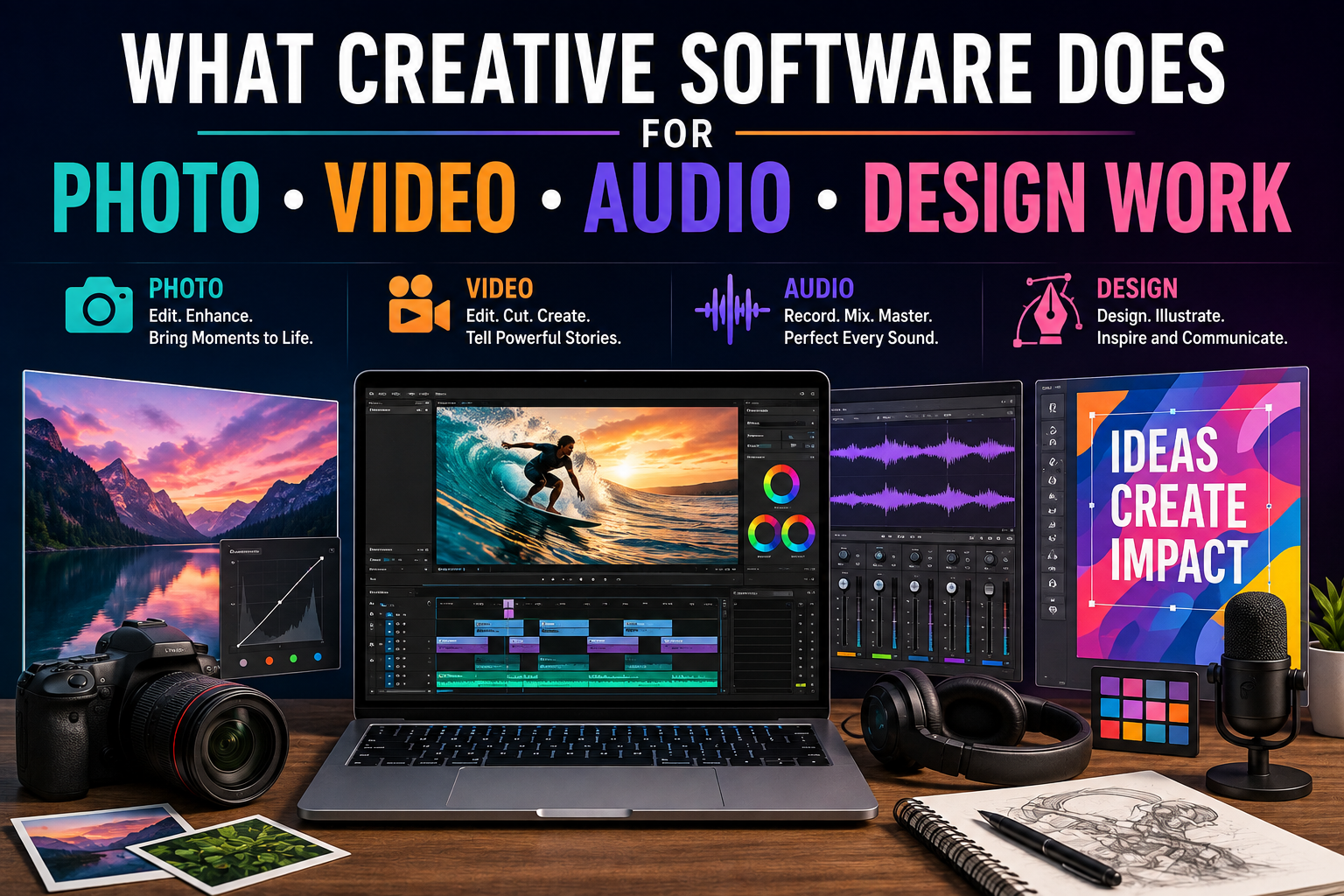
Creative software has transformed the way people turn ideas into visual, audio, and digital experiences.
A photographer can adjust an image without developing film. A video editor can assemble hours of footage into a polished story from a laptop. A musician can record, edit, mix, and master a song without needing a traditional recording studio. A designer can create logos, illustrations, presentations, websites, and marketing materials using a computer.
What connects all of these activities is creative software: a broad category of applications designed to help people capture, edit, organize, produce, and share creative work.
Although different programs are built for different disciplines, they increasingly overlap. A modern creative project might involve photography, graphic design, video, animation, audio, 3D elements, and artificial intelligence within the same production workflow.
For a broader overview of how different applications fit into modern computing, see The Complete Guide to Apps.
What Is Creative Software?
Creative software refers to applications that help users create or manipulate digital media and content.
These applications can be designed for professional studios, businesses, freelancers, students, hobbyists, content creators, or everyday users.
Major categories include:
- Photo editing software
- Video editing software
- Audio production software
- Graphic design applications
- Illustration tools
- Animation software
- 3D modeling and rendering programs
- Desktop publishing applications
- Motion graphics tools
- Digital painting applications
- Creative AI tools
Some applications specialize in one task, while others combine multiple creative capabilities.
The goal is generally the same: provide tools that allow people to transform raw material or ideas into finished creative work.
How Photo Software Changes Images
Photography was once heavily dependent on physical film, darkrooms, chemicals, and specialized equipment.
Digital photography changed that process, and photo-editing software expanded it even further.
Modern image-editing applications can allow users to:
- Crop and resize photographs
- Adjust brightness and contrast
- Correct colors
- Remove unwanted objects
- Reduce noise
- Sharpen details
- Combine multiple images
- Create masks and selections
- Apply filters
- Retouch portraits
- Restore damaged photographs
- Export images for different platforms
The result is a workflow in which photographers can make precise changes without permanently altering the original image.
Non-Destructive Editing Makes Creative Work More Flexible
One of the most useful features in modern creative software is non-destructive editing.
Instead of permanently changing an original photograph, the software can store adjustments separately.
A photographer might increase exposure, change colors, crop the image, and apply sharpening while retaining the original file.
This allows the creator to return later and modify the adjustments.
Non-destructive workflows are valuable because creative decisions often change during production.
A photograph that looks appropriate for one project may need a different treatment for another.
Layers Give Designers Greater Control
Layers are another fundamental concept in creative software.
Instead of treating an image as one flat object, software can divide its components into separate layers.
A designer might place:
- Background imagery on one layer
- Text on another
- Shapes on another
- Shadows on another
- Illustrations on another
- Effects on additional layers
Each component can then be edited independently.
This makes complex compositions much easier to manage.
Layers are used extensively in photography, illustration, graphic design, animation, and other creative disciplines.
How Video Editing Software Works
Video editing software transforms raw footage into structured visual stories.
A typical editing application provides a timeline where clips can be arranged in sequence.
Editors can trim footage, change the order of scenes, add transitions, synchronize sound, insert titles, adjust color, and export the finished project.
Modern video editors may also support:
- Multiple video tracks
- Multiple audio tracks
- Color correction
- Visual effects
- Motion graphics
- Subtitles
- Green-screen compositing
- Stabilization
- Speed changes
- Noise reduction
- High-resolution video
- Different aspect ratios
This allows a single application to handle much of the post-production process.
The Timeline Is the Heart of Video Editing
The timeline gives editors a visual representation of how a video will unfold over time.
Clips can be placed next to one another, shortened, moved, split, or layered.
Editors can also synchronize music, dialogue, sound effects, graphics, and visual effects with specific moments in the footage.
The timeline therefore becomes the workspace where raw recordings are transformed into a coherent sequence.
Good editing is not simply about cutting footage.
It is about controlling timing, rhythm, information, emotion, and attention.
Color Correction and Color Grading Shape the Look
Video software also provides tools for controlling color.
Color correction is generally concerned with making footage look technically consistent. Editors may adjust exposure, white balance, contrast, and color balance.
Color grading is more creative.
A filmmaker might give a scene a warmer appearance to create a particular mood or use a cooler visual style to create a different emotional atmosphere.
These tools allow footage shot under different conditions to appear more consistent while also giving productions a distinctive visual identity.
Audio Software Turns Recordings Into Productions
Audio software, often called a digital audio workstation or DAW, provides a digital environment for recording, editing, mixing, and producing sound.
A DAW can be used for:
- Music production
- Podcast editing
- Voice recording
- Film sound
- Sound design
- Radio production
- Audiobooks
- Mixing
- Mastering
Users can record audio directly into the software or import existing recordings.
Once the material is inside the application, it can be edited and arranged on a timeline.
Multitrack Recording Creates Complex Audio
A modern audio project can contain dozens or even hundreds of separate tracks.
A music production might include:
- Vocals
- Drums
- Bass
- Guitars
- Keyboards
- Synthesizers
- Percussion
- Background vocals
- Sound effects
Each track can be adjusted independently.
Editors can change volume, stereo position, equalization, compression, effects, and other properties.
This makes it possible to build complex productions from individual recordings.
Audio Effects Shape the Sound
Creative software includes numerous audio-processing tools.
Equalizers can emphasize or reduce particular frequencies.
Compressors can control dynamic range.
Reverb can create the impression of a physical space.
Delay can repeat a sound after a specified interval.
Noise-reduction tools can help remove unwanted background sounds.
These tools allow producers to shape recordings according to the requirements of a project.
Graphic Design Software Turns Ideas Into Visual Communication
Graphic design software is used to create visual materials for both digital and physical environments.
Designers can create:
- Logos
- Posters
- Advertisements
- Social-media graphics
- Packaging
- Brochures
- Infographics
- Presentations
- Business materials
- Website graphics
- Digital illustrations
Graphic design software often combines typography, shapes, images, color, and layout.
The objective is not merely to make something attractive.
Good design communicates information clearly and directs the viewer’s attention.
Vector Graphics Are Useful for Scalable Design
Many graphic-design applications support vector graphics.
Unlike raster images, which are composed of pixels, vector graphics use mathematical paths and shapes.
This means an illustration or logo can often be enlarged significantly without losing the same type of sharpness associated with pixel-based images.
Vector graphics are particularly useful for:
- Logos
- Icons
- Illustrations
- Diagrams
- Signs
- Typography
- Technical graphics
A company logo, for example, may need to appear on a business card and a large billboard.
Vector-based artwork makes that flexibility easier.
Digital Illustration Expands Artistic Possibilities
Illustration software gives artists digital versions of many familiar artistic tools.
Depending on the application, artists may have access to brushes that imitate:
- Pencils
- Pens
- Charcoal
- Watercolors
- Oil paint
- Markers
- Airbrushes
Digital illustration also provides capabilities that physical materials cannot easily reproduce.
Artists can undo mistakes, duplicate elements, transform shapes, use layers, experiment with colors, and save multiple versions of a project.
This does not eliminate the importance of artistic skill.
Instead, it gives artists a broader set of tools for expressing that skill.
Animation Software Adds Movement
Animation software allows creators to turn still images, illustrations, characters, objects, or computer-generated models into moving sequences.
Traditional animation involves creating the illusion of movement by displaying a series of changing images.
Digital tools can make that process more efficient.
Animators can create keyframes, define movement paths, adjust timing, manipulate objects, and preview results without producing every frame manually.
Animation software is used in:
- Films
- Television
- Video games
- Advertising
- Education
- Social media
- User interfaces
- Scientific visualization
Motion Graphics Combine Design and Animation
Motion graphics sit between graphic design and video.
They can involve animated text, shapes, logos, diagrams, charts, and illustrations.
News organizations use motion graphics to explain complex information. Businesses use them for advertisements and presentations. Content creators use them for introductions, transitions, and visual storytelling.
Motion graphics software allows designers to control movement, timing, scale, opacity, and other properties.
This transforms static visual communication into dynamic experiences.
3D Software Creates Digital Worlds
Three-dimensional creative software allows users to model, texture, animate, light, and render objects and environments.
3D tools are used in:
- Film production
- Video games
- Architecture
- Product design
- Advertising
- Engineering visualization
- Virtual reality
- Scientific visualization
A designer can construct a digital object, apply materials, position lights, create a virtual camera, and generate an image or animation.
The same underlying 3D model can potentially be reused across different projects.
Creative Software Helps People Work Across Media
Modern creative projects increasingly cross traditional boundaries.
A marketing campaign might begin with photography, incorporate graphic design, include a short video, use original music, and end with animated social-media content.
A filmmaker might combine:
- Photographic assets
- Video footage
- Digital illustrations
- 3D models
- Motion graphics
- Voice recordings
- Music
- Sound effects
Creative software allows these different media types to work together.
This interoperability has become one of the defining characteristics of modern digital production.
File Formats Matter
Creative applications often work with specialized file formats.
A working project file may preserve layers, effects, editing decisions, timelines, or other information that would disappear when the project is exported to a simpler format.
Final files may be exported as formats appropriate for particular uses.
For example:
- Images may be exported for websites or printing.
- Videos may be encoded for streaming platforms.
- Audio may be exported for distribution.
- Graphics may be saved in formats suitable for editing or scalable use.
Understanding file formats is therefore an important part of a professional creative workflow.
For creators managing large collections of source files, project assets, exports, and working documents, file management software can also become an important part of the workflow.
Cloud Storage and Collaboration Change Creative Work
Creative software is increasingly connected to cloud services.
Projects can be stored online, synchronized across devices, and shared with collaborators.
This changes how creative teams work.
A photographer can share images with an editor. A designer can send artwork to a marketing team. A video editor can collaborate with producers in different locations.
Cloud collaboration can reduce the need for teams to work in the same physical location.
It can also make version management easier when multiple people are contributing to a project.
Many of these capabilities are part of the broader shift toward cloud software and SaaS, where applications and related services can be accessed across devices and locations.
Templates Can Speed Up Routine Work
Creative software often includes templates and reusable assets.
Templates can provide starting points for:
- Presentations
- Posters
- Social-media posts
- Videos
- Websites
- Business documents
- Advertisements
Templates are useful when the goal is to produce consistent content quickly.
Professional creators can also develop their own reusable assets, including fonts, color palettes, graphic elements, transitions, presets, and project structures.
This reduces repetitive work.
Automation Handles Repetitive Tasks
Many creative applications include automation features.
A photographer might apply the same adjustment to hundreds of images.
A video editor might automate repetitive processing tasks.
An audio producer might create reusable effect chains.
A designer might use scripts or batch-processing tools to generate multiple versions of an asset.
Automation allows creative professionals to spend less time on repetitive technical work and more time on decisions that require human judgment.
Artificial Intelligence Is Becoming Part of Creative Software
Artificial intelligence is now becoming increasingly integrated into creative applications.
AI features can assist with tasks such as:
- Removing unwanted objects
- Extending image backgrounds
- Generating visual elements
- Transcribing audio
- Cleaning speech
- Creating captions
- Searching media libraries
- Generating design variations
- Retiming video
- Enhancing image quality
- Assisting with editing
These tools can significantly reduce the time required for certain technical tasks.
However, AI does not eliminate the need for creative direction.
A generated image still needs to fit a project’s purpose. An automatically edited video still needs to tell a coherent story. A cleaned audio recording still needs to sound appropriate for its audience.
AI Changes the Role of the Creative Professional
As software automates more technical tasks, creative professionals may spend more time directing the process.
Instead of manually performing every step, a creator might describe the desired result, review several options, make adjustments, and select the strongest version.
This shifts some of the work from direct production toward creative judgment.
Skills such as composition, storytelling, visual hierarchy, sound design, editing, typography, and audience understanding remain valuable because software cannot determine the right creative decision in every situation.
Creative Software Does Not Replace Creative Thinking
It is easy to focus on the impressive features of modern applications and overlook the most important component: the person using them.
Software can provide tools, but it does not automatically provide a good idea.
A powerful camera cannot guarantee a compelling photograph. A sophisticated video editor cannot rescue every poorly conceived story. An audio workstation cannot automatically turn an uninspired recording into meaningful music.
Creative software is most effective when technical capabilities are combined with judgment, experience, experimentation, and a clear understanding of the intended audience.
Software Makes Experimentation Cheaper
One of the greatest advantages of digital creative tools is the ability to experiment.
Creators can make a version, save it, duplicate it, and try something completely different.
They can test:
- Different colors
- Different crops
- Alternative compositions
- New fonts
- Different edits
- Multiple sound mixes
- Different visual effects
- Alternative story structures
This encourages experimentation because mistakes are often reversible.
The ability to undo and compare versions can make the creative process more exploratory.
Creative Software Has Changed Access to Production
Professional creative production once required expensive equipment and specialized facilities.
Today, a capable computer can provide many of the tools needed to produce sophisticated creative work.
A person with relatively modest equipment can potentially:
- Photograph products
- Edit professional-looking images
- Record a podcast
- Produce a short film
- Design marketing materials
- Create animations
- Produce music
- Publish digital artwork
This has lowered some barriers to entry.
It has also created an enormous increase in the amount of content being produced.
The Challenge of Information Overload
The accessibility of creative tools has an unintended consequence: audiences are exposed to more content than ever.
Social platforms, streaming services, websites, podcasts, digital publications, and advertising channels compete for limited attention.
This means technical quality alone is no longer enough.
Creators need to understand audience behavior, storytelling, originality, branding, and distribution.
Creative software can help produce content efficiently, but the challenge of making that content meaningful remains.
Choosing the Right Creative Software
There is no single application that is ideal for every creator.
The right choice depends on the type of work being produced, the user’s skill level, budget, hardware, collaboration requirements, and preferred workflow.
Someone focused primarily on photography may prioritize powerful image organization and editing tools.
A filmmaker may need sophisticated timeline editing, color management, audio tools, and effects.
A musician may care more about recording capabilities, virtual instruments, mixing, and plugin support.
A designer may prioritize typography, vector tools, layout, and illustration.
The best software is usually the one that fits the actual workflow rather than the one with the longest list of features.
Why Hardware Still Matters
Creative software depends heavily on the computer running it.
Photo and video applications can require substantial processing power and memory. High-resolution footage can consume large amounts of storage. 3D rendering can place significant demands on graphics hardware.
Fast storage can improve the experience of working with large files.
High-quality displays can also matter for photography, video, illustration, and design because accurate color and detail are important.
The software may be the creative workspace, but hardware provides the underlying performance.
Learning Creative Software Takes Time
Modern creative applications can contain hundreds of tools and settings.
Beginners may initially feel overwhelmed.
However, most creators do not need to master every feature.
A more effective approach is to learn the tools that directly support the type of work being produced.
For a beginner photographer, that might mean learning exposure correction, cropping, masking, color adjustment, and export settings.
For a new video editor, it might mean learning cutting, transitions, audio levels, basic color correction, and project organization.
Mastery develops gradually through repeated use.
Turning Tools Into Creative Results
Creative software has fundamentally changed what individuals and teams can produce.
Photographers can refine images with extraordinary precision. Video editors can transform raw footage into structured stories. Musicians can build complex productions from home studios. Designers can create visual identities, illustrations, advertisements, and digital experiences. Animators and 3D artists can construct entire worlds that exist entirely inside a computer.
Artificial intelligence and cloud collaboration are now pushing these capabilities even further, making some technical processes faster and allowing creative teams to work in increasingly flexible ways.
But the most important role of creative software remains surprisingly simple: it gives people more control over how ideas become finished work.
The tools may continue to evolve—from layers and timelines to AI-assisted generation and automated workflows—but the underlying purpose remains the same. Creative software helps people experiment, refine, communicate, and turn imagination into something that other people can see, hear, and experience.