Complete Guide to Cloud Software and SaaS
Cloud software has changed the way people work, communicate, store information, and run businesses. Instead of installing every application directly on a computer or maintaining expensive servers, users can increasingly access software and data through an internet connection.
Two terms appear frequently in this space: cloud software and Software as a Service (SaaS).
Although they are closely related, they are not exactly the same thing. Understanding the difference can help individuals and businesses make better decisions about software, security, costs, data management, and long-term technology planning.
What Is Cloud Software?
Cloud software is software that runs on remote computing infrastructure rather than relying entirely on a user’s local computer.
Instead of downloading and installing all of the software components onto a device, users may access the application through the internet. The underlying servers, storage, databases, and other infrastructure are typically managed by a cloud provider or software company.
For example, an online document editor allows users to create and edit documents through a web browser. The application and associated files can be hosted on remote infrastructure rather than stored exclusively on the user’s computer.
Cloud software can be accessed from many types of devices, including:
- Desktop computers
- Laptops
- Smartphones
- Tablets
- Business workstations
- Other internet-connected devices
The exact experience depends on how the software is designed and delivered.
What Is SaaS?
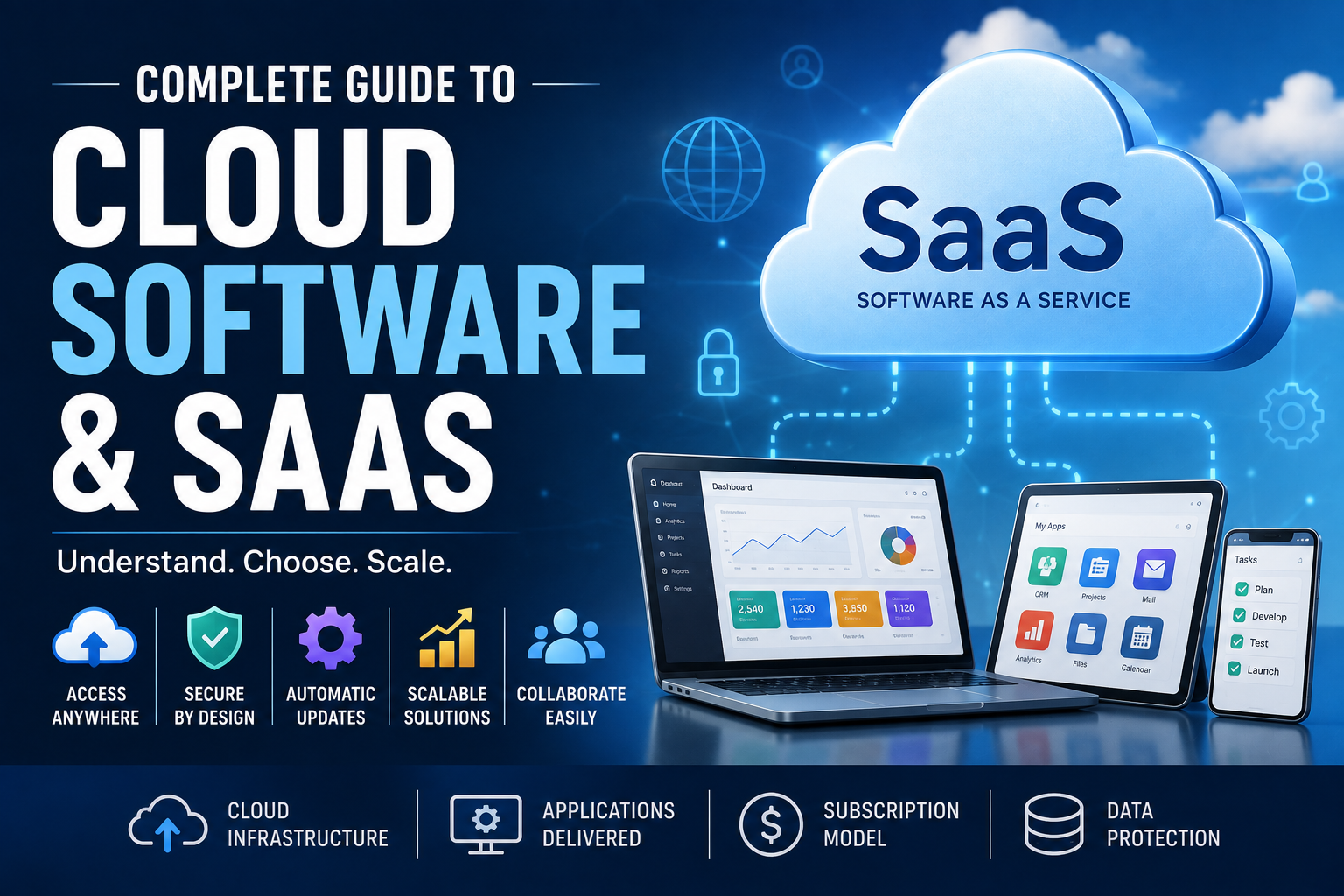
Software as a Service, commonly shortened to SaaS, is a software delivery model in which a provider hosts an application and makes it available to customers over the internet.
Instead of purchasing a traditional software license and installing the application on company-owned infrastructure, customers generally subscribe to the service.
Common SaaS characteristics include:
- Internet-based access
- Provider-managed infrastructure
- Subscription or recurring pricing
- Automatic software updates
- Centralized data storage
- Account-based access
- Browser or application-based interfaces
Email platforms, project-management applications, customer relationship management systems, accounting platforms, collaboration tools, and many business applications are examples of software that can be delivered through SaaS.
For a broader overview of how applications fit together, see The Complete Guide to Apps.
Cloud Software vs SaaS: What’s the Difference?
The terms are sometimes used interchangeably, but there is an important distinction.
Cloud software describes a broader category of software that uses cloud infrastructure.
SaaS describes a particular way of delivering software to customers.
In simple terms:
Cloud computing describes where and how computing resources are provided, while SaaS describes how software is delivered to users.
A cloud-hosted application is not necessarily a conventional SaaS product. Some cloud environments are designed for developers and businesses to build and operate their own applications rather than simply subscribing to finished software.
This distinction becomes particularly important when evaluating technology for an organization.
How Does SaaS Work?
A typical SaaS platform relies on several layers of technology working together.
1. Cloud Infrastructure
The provider operates or leases computing infrastructure that hosts the application.
This infrastructure can include:
- Servers
- Storage
- Networking equipment
- Databases
- Security systems
- Backup infrastructure
2. Application Software
The provider develops and maintains the actual software that customers use.
Instead of each customer maintaining a separate copy of the application, the provider manages the application centrally.
3. Internet Connectivity
Users connect to the service through the internet.
Depending on the product, access may happen through a web browser, desktop application, mobile application, or a combination of these.
4. User Accounts
Customers typically access the service using individual accounts.
Businesses may also have administrative systems for controlling:
- User permissions
- Roles
- Authentication
- Billing
- Security settings
- Organizational policies
5. Data Storage
Application data is generally stored on infrastructure managed by the provider.
The exact storage architecture varies between services.
What Are the Main Types of Cloud Services?
Cloud computing is commonly divided into several service models.
Infrastructure as a Service
Infrastructure as a Service (IaaS) provides computing resources such as virtual machines, networking, and storage.
Instead of purchasing physical servers, an organization can obtain infrastructure resources from a cloud provider.
IaaS provides significant flexibility but generally requires more technical management than SaaS.
Platform as a Service
Platform as a Service (PaaS) provides an environment developers can use to build, deploy, and manage applications.
The provider handles much of the underlying infrastructure, allowing developers to concentrate more on application development.
Software as a Service
SaaS provides completed software applications to end users.
The provider generally manages the infrastructure, application, maintenance, and updates.
This makes SaaS the most immediately accessible model for many consumers and businesses.
What Are the Benefits of Cloud Software?
Cloud software can provide several practical advantages.
Easier Access
Users can often access cloud applications from multiple locations and devices.
This can be particularly useful for distributed teams and people who work across different locations.
Reduced Hardware Requirements
Organizations may not need to maintain as much local infrastructure to run certain applications.
This can reduce the need for dedicated servers and associated maintenance.
Automatic Updates
With traditional software, organizations may need to download and install updates manually.
Many cloud services handle updates centrally, reducing the amount of maintenance required from customers. Organizations that want to understand this maintenance process in more detail can also explore how software updates work and matter.
Easier Collaboration
Cloud applications can make it easier for multiple people to work with shared information.
Depending on the platform, users may be able to edit documents, communicate, manage projects, or review information in the same online environment.
Scalability
Cloud services can often be expanded as an organization grows.
A small business may begin with a few user accounts and later increase its subscription as its workforce expands.
Potentially Lower Upfront Costs
Traditional software can require significant upfront spending on licenses, hardware, and installation.
SaaS often replaces some of these costs with recurring subscription payments.
That does not necessarily mean SaaS is always cheaper over the long term. Total cost depends on the product, number of users, subscription period, storage requirements, and additional services.
What Are the Disadvantages of Cloud Software?
Cloud software also has limitations.
Internet Dependence
Many cloud applications require a reliable internet connection.
Some services offer offline capabilities, but functionality may be reduced when the user is disconnected.
Recurring Costs
Subscription-based software creates ongoing expenses.
A product that seems inexpensive each month can represent a significant cost over several years, particularly when used by a large organization.
Data Security Responsibilities
Although reputable cloud providers invest heavily in security, customers still have responsibilities.
Weak passwords, poor access controls, compromised accounts, and incorrect configuration can create security problems.
Vendor Dependence
Moving from one SaaS provider to another can sometimes be difficult.
Organizations may become dependent on a provider’s:
- Data formats
- APIs
- Workflows
- Integrations
- Pricing structure
- Features
Service Outages
Cloud applications can experience interruptions.
Even if a provider has extensive redundancy, no online service can realistically guarantee that every component will remain available indefinitely.
SaaS Subscription Models Explained
SaaS providers use different pricing models.
Per-User Pricing
The customer pays based on the number of users.
This model is common among business applications.
Tiered Pricing
The provider offers several plans with different features.
A basic plan may provide essential functionality, while higher-priced tiers offer additional tools.
Usage-Based Pricing
Customers pay according to how much of a service they consume.
Examples can include storage, computing resources, transactions, or API usage.
Freemium Pricing
A provider offers a basic version at no cost while charging for additional features.
The free version can allow users to test the product before committing to a paid plan.
Enterprise Pricing
Large organizations may receive customized contracts based on factors such as user numbers, security requirements, support levels, and negotiated features.
Cloud Software Security: What Users Should Know
Security should be one of the first considerations when choosing cloud software.
A provider may implement sophisticated security controls, but users also need to configure and operate the service responsibly.
Important security practices include:
Use Strong Authentication
Accounts containing sensitive information should use strong passwords and, where available, multi-factor authentication.
Control User Permissions
Employees should generally have access only to the information and functions they need.
This principle can reduce the potential impact of compromised accounts.
Review Connected Applications
Third-party integrations can provide useful functionality, but they may also receive access to account information.
Users should periodically review connected applications and remove unnecessary permissions.
Protect Administrator Accounts
Administrative accounts can have extensive control over an organization’s data and systems.
They should receive particularly strong security protections.
Understand Data Policies
Before adopting a cloud service, organizations should understand how the provider handles customer information.
Important questions include:
- Where is data stored?
- How is it protected?
- How long is it retained?
- Can customers export their data?
- What happens when an account is terminated?
- Who can access the data?
- How are security incidents handled?
Cloud Storage and Cloud Software Are Not the Same
Another common source of confusion is the difference between cloud storage and cloud software.
Cloud storage primarily provides a place to store and access files remotely.
Cloud software provides an application or service that performs specific functions.
For example, a cloud storage service might store a spreadsheet file, while a cloud-based spreadsheet application allows users to create, edit, analyze, and collaborate on spreadsheets.
The two technologies can work together.
This distinction also connects with how file management software stores, organizes and manages digital files, since cloud applications frequently interact with files and stored information.
What Is Multi-Tenant SaaS?
Many SaaS applications use a multi-tenant architecture.
In this model, multiple customers use the same underlying application infrastructure while their data and accounts remain logically separated.
This architecture can make SaaS platforms easier for providers to maintain and scale.
Instead of deploying an entirely separate application environment for every customer, the provider can operate shared infrastructure designed to serve many organizations.
However, proper isolation and security controls are essential.
What Is Single-Tenant SaaS?
A single-tenant model provides a dedicated software environment for an individual customer.
This can provide greater customization or isolation in some situations, although it may also increase costs and management requirements.
Whether single-tenancy is preferable depends on factors such as:
- Security requirements
- Compliance obligations
- Customization needs
- Budget
- Performance requirements
- Integration requirements
Cloud Software for Businesses
Businesses use cloud software across almost every major function.
Common categories include:
Customer Relationship Management
CRM platforms help organizations manage customer information, sales activities, communication, and relationships.
Accounting Software
Cloud accounting applications can help businesses manage financial records, invoices, expenses, payroll-related processes, and reporting.
Project Management
Project-management platforms help teams organize tasks, deadlines, responsibilities, and project information.
Communication Tools
Cloud-based communication services can support email, messaging, voice calls, and video meetings.
Human Resources Software
HR platforms can help organizations manage employee information, recruitment, leave, payroll processes, and other administrative activities.
Document Management
Cloud document platforms allow businesses to create, store, share, and manage digital documents.
Organizations that work extensively with digital records can also learn more about document management software, including how it stores, organizes, and retrieves documents.
How to Choose Cloud Software
Choosing a SaaS platform should involve more than comparing monthly prices.
Start With the Problem
First identify what problem the software needs to solve.
A company looking for accounting software has different requirements from a company searching for project-management software.
Evaluate Essential Features
Separate must-have features from optional ones.
This prevents organizations from paying for complex functionality that they may never use.
Examine Integrations
Check whether the software works with existing systems.
Important integrations can include:
- Accounting platforms
- Email services
- Payment systems
- CRM systems
- Communication tools
- Databases
- Developer tools
Consider Scalability
The ideal platform should be capable of supporting future growth without creating unnecessary complexity.
Evaluate Security
Look for clear information about authentication, encryption, access controls, backups, monitoring, and security practices.
For organizations with regulatory obligations, compliance documentation may also be important.
Check Data Portability
Find out whether users can export their data in a usable format.
Data portability can become extremely important if the organization eventually decides to change providers.
Understand the Total Cost
Calculate more than the advertised subscription price.
Consider:
- User licenses
- Premium features
- Storage
- Implementation
- Training
- Integrations
- Support
- Migration
- Long-term subscription costs
SaaS vs Traditional Software
Traditional software is typically installed and maintained on local devices or organizational infrastructure.
SaaS moves much of that responsibility to the provider.
| Feature | Traditional Software | SaaS |
|---|---|---|
| Installation | Usually required | Often minimal |
| Updates | Often customer-managed | Usually provider-managed |
| Access | Primarily device-based | Internet-based |
| Pricing | Often upfront or licensed | Usually recurring |
| Infrastructure | Customer-managed in many cases | Provider-managed |
| Scalability | Can require additional infrastructure | Often easier to scale |
| Internet requirement | Depends on application | Usually important |
| Maintenance | More customer responsibility | More provider responsibility |
Neither model is automatically better.
The right choice depends on the organization’s requirements.
Is SaaS Suitable for Small Businesses?
SaaS can be particularly useful for small businesses because it can provide access to sophisticated software without requiring a large internal IT department.
A small company may use cloud services for accounting, communication, customer management, marketing, file storage, scheduling, and project management.
However, small businesses should avoid subscribing to too many overlapping platforms.
A growing collection of SaaS subscriptions can create unnecessary costs, duplicate data, and complicated workflows.
A periodic review of software subscriptions can help identify tools that are no longer necessary.
Common Mistakes When Adopting SaaS
Choosing Software Based Only on Price
The cheapest product may lack essential features or create additional costs later.
Ignoring Data Export
If an organization cannot easily retrieve its information, switching providers can become difficult.
Giving Everyone Excessive Permissions
Users should not automatically receive administrative access.
Buying Too Many Tools
More software does not necessarily mean greater productivity.
Businesses should focus on solving specific problems rather than collecting applications.
Failing to Train Users
Even excellent software can underperform if employees do not understand how to use it.
Ignoring Vendor Stability
Customers should consider the provider’s reputation, support capabilities, financial stability, and history of maintaining the product.
What Does the Future of Cloud Software Look Like?
Cloud software is likely to become increasingly integrated with artificial intelligence, automation, analytics, and other digital services.
Applications are already moving beyond simply storing information or providing digital versions of traditional workflows.
Modern platforms can increasingly help users:
- Analyze information
- Automate repetitive tasks
- Generate content
- Summarize documents
- Identify patterns
- Coordinate workflows
- Connect different applications
This could make software more proactive over time.
Instead of requiring users to manually navigate multiple applications, future systems may increasingly coordinate information and actions across several services.
At the same time, these developments will make privacy, security, interoperability, data ownership, and transparency even more important.
Frequently Asked Questions
Is cloud software the same as SaaS?
No. Cloud software is a broad category of software that uses cloud infrastructure, while SaaS is a specific software delivery model in which applications are provided to customers as a service.
Does SaaS require an internet connection?
Most SaaS platforms rely heavily on internet connectivity. Some applications provide offline functionality, but the available features may be limited when a device is disconnected.
Is SaaS cheaper than traditional software?
Not necessarily. SaaS can reduce upfront infrastructure and licensing costs, but recurring subscription fees can become substantial over time.
Is cloud software secure?
Cloud software can be highly secure when properly designed and managed, but security depends on both the provider’s controls and the customer’s configuration and behavior.
Can businesses switch SaaS providers?
Yes, but the difficulty depends on the platform. Data portability, integrations, proprietary formats, contracts, and migration tools can all affect how easily a business can move to another provider.
What is the biggest advantage of SaaS?
One of the biggest advantages is convenience. The provider typically handles much of the infrastructure, maintenance, and software updating, allowing customers to focus on using the application.
Why Cloud Software Matters
Cloud software and SaaS have become fundamental parts of modern computing because they change the traditional relationship between users and software.
Instead of treating software as something purchased once and installed on a particular computer, cloud services make applications increasingly accessible as continuously maintained online services.
For consumers, that can mean easier access and collaboration. For businesses, it can provide flexible tools without requiring every organization to build and maintain its own technology infrastructure.
But the convenience comes with responsibilities. Users need to consider security, privacy, recurring costs, data ownership, vendor dependence, and long-term portability before adopting a service.
The strongest cloud strategy is therefore not simply about moving everything online. It is about choosing services that solve genuine problems, fit existing workflows, protect important information, and remain practical as technology and organizational needs evolve.