Algorithms Explained: Complete Programming Guide
Algorithms are at the heart of software development.
Every application, website, mobile app, search engine, database, and digital service relies on algorithms to process information and produce useful results. When a navigation app calculates a route, an online store recommends a product, a search engine retrieves relevant pages, or a program sorts a list of names, one or more algorithms are working behind the scenes.
Understanding algorithms is therefore one of the most important skills a programmer can develop.
You do not need to be an expert mathematician to learn algorithms. The fundamentals can be understood by breaking problems into logical steps and learning how different approaches solve different types of problems.
This complete programming guide explains what algorithms are, how they work, the major types of algorithms, data structures, algorithm complexity, searching and sorting techniques, recursion, graph algorithms, dynamic programming, algorithm design strategies, and practical programming considerations.
What Is an Algorithm?
An algorithm is a well-defined sequence of steps used to solve a problem or accomplish a task.
In programming, an algorithm takes some form of input, processes it according to a defined procedure, and produces an output.
A simple example is finding the largest number in a list.
Suppose a program receives:
12, 7, 25, 4, 19A basic algorithm could:
- Assume the first number is the largest.
- Compare it with the next number.
- Replace the largest value if the next number is greater.
- Continue through the list.
- Return the largest value.
The result is:
25The algorithm is the logical process—not the particular programming language used to implement it.
This distinction is important because the same algorithm can often be implemented in Python, JavaScript, Java, C++, Rust, Go, or another programming language.
If you are new to programming, it can help to first understand what programming is and how it works before going deeply into algorithms.
Why Are Algorithms Important?
Algorithms allow programmers to turn problems into systematic solutions.
They help developers:
- Process data
- Search information
- Sort records
- Find routes
- Analyze relationships
- Compress information
- Secure communications
- Make recommendations
- Optimize resources
- Automate repetitive tasks
Two programs can produce the same result while using very different algorithms.
The difference can become enormous when working with large amounts of data.
An algorithm that works well with 100 records may become extremely slow when processing 100 million records.
That is why algorithmic efficiency matters.
Algorithms also form an important part of the broader software development process, where developers move from requirements and design through implementation, testing, deployment, and maintenance.
Algorithms vs. Programs
An algorithm and a program are related but different.
An algorithm describes the procedure for solving a problem.
A program implements that procedure using a programming language.
For example, an algorithm might describe how to find the shortest route between two locations.
A developer could implement that algorithm using:
- Python
- Java
- JavaScript
- C++
- C#
- Go
- Rust
The algorithm remains conceptually similar even though the source code differs.
This is one reason learning algorithms is more valuable than simply memorizing the syntax of a particular programming language.
What Makes a Good Algorithm?
A useful algorithm generally has several important characteristics.
Clearly Defined Inputs
The algorithm should specify what information it expects.
Clearly Defined Outputs
The result should be understandable and well-defined.
Unambiguous Steps
Each step should have a clear meaning.
Termination
The algorithm should eventually finish rather than continue indefinitely.
Correctness
It should produce the expected result for valid inputs.
Efficiency
It should use reasonable amounts of time and memory.
These properties help distinguish a reliable algorithm from an informal collection of instructions.
A Simple Algorithm Example
Consider an algorithm for determining whether a number is even.
Input
An integer n.
Procedure
Calculate:
n % 2If the remainder is zero, the number is even.
Output
Return either:
Evenor:
OddIn Python, the implementation could be:
def check_number(n):
    if n % 2 == 0:
        return "Even"
    return "Odd"
The algorithm itself is the underlying logic.
The Python code is simply one implementation of that logic.
For readers learning Python specifically, the Python Programming Guide provides a useful foundation for understanding how algorithms can be implemented in a real programming language.
Common Ways to Represent Algorithms
Developers can describe algorithms in several ways.
Natural Language
The steps are explained using ordinary language.
Pseudocode
The logic is expressed using programming-like statements without committing to a specific language.
Flowcharts
Visual diagrams show decisions and processes.
Source Code
The algorithm is implemented in an actual programming language.
Pseudocode is especially useful when designing algorithms because it allows developers to focus on logic before worrying about language-specific syntax.
What Is Pseudocode?
Pseudocode is an informal notation used to describe an algorithm.
For example:
SET largest to first item

FOR each item in the list
    IF item is greater than largest
        SET largest to item

RETURN largest
This is not intended to run directly on a computer.
Instead, it communicates the algorithm clearly to developers.
Pseudocode can also make it easier for programmers working with different languages to discuss the same solution.
Algorithm Complexity Explained
One of the most important concepts in algorithm design is complexity.
Complexity describes how an algorithm’s resource requirements change as the input becomes larger.
Two major forms are:
- Time complexity
- Space complexity
Time complexity describes how the amount of computation changes as input size increases.
Space complexity describes how much additional memory an algorithm requires.
Understanding these concepts helps developers determine whether an algorithm is appropriate for a particular application.
This also connects closely with how developers optimize software performance and application speed.
What Is Big O Notation?
Big O notation is commonly used to describe the growth rate of an algorithm’s resource requirements.
Common complexity classes include:
| Big O | General Name |
|---|---|
| O(1) | Constant |
| O(log n) | Logarithmic |
| O(n) | Linear |
| O(n log n) | Linearithmic |
| O(n²) | Quadratic |
| O(2ⁿ) | Exponential |
| O(n!) | Factorial |
The smaller the growth rate, generally speaking, the better an algorithm scales as input size increases.
However, real-world performance also depends on implementation, hardware, data distribution, memory access patterns, and constant factors.
Big O is primarily about understanding how performance scales.
O(1): Constant Time
An O(1) operation takes approximately the same amount of work regardless of how large the input becomes.
For example, accessing an element of an array by index is commonly treated as O(1).
numbers = [10, 20, 30, 40]
value = numbers[2]
The size of the list does not change the basic number of operations required to access that position in a typical array implementation.
O(n): Linear Time
An O(n) algorithm generally grows proportionally with the size of the input.
For example:
for number in numbers:
    print(number)
If the list contains 10 items, the loop processes 10 items.
If it contains 1,000 items, it processes 1,000 items.
This is linear growth.
O(log n): Logarithmic Time
Logarithmic algorithms reduce the remaining search space significantly at each step.
Binary search is a classic example.
Instead of checking every element individually, binary search repeatedly divides a sorted dataset into smaller sections.
This makes it dramatically more efficient than linear search for large sorted datasets.
O(n log n): Linearithmic Time
O(n log n) appears frequently in efficient sorting algorithms.
Examples include:
- Merge sort
- Heap sort
- Average-case quicksort
These algorithms generally scale much better than simple quadratic sorting approaches.
O(n²): Quadratic Time
Quadratic complexity often appears when an algorithm performs work for every pair of items.
A simple nested loop can produce O(n²) behavior:
for i in numbers:
    for j in numbers:
        print(i, j)
If the input doubles, the number of combinations can increase roughly fourfold.
This does not mean O(n²) algorithms are always bad.
For small datasets, a simple quadratic algorithm can sometimes be perfectly practical.
Exponential and Factorial Complexity
Some algorithms have extremely rapid growth.
O(2ⁿ)
Exponential algorithms can become impractical as the input grows.
O(n!)
Factorial growth becomes even more extreme.
Algorithms involving permutations and exhaustive searches can sometimes have factorial complexity.
These approaches may still be useful for small inputs or when combined with optimization techniques such as pruning, memoization, or dynamic programming.
Time Complexity vs. Real-World Speed
Big O notation is useful, but it should not be treated as a stopwatch.
For example, an O(n) algorithm is not automatically faster than an O(log n) algorithm for every possible input size.
Other factors include:
- Dataset size
- Hardware
- Programming language
- Memory access
- Implementation details
- Constant factors
- Data distribution
- Caching
- Input characteristics
Big O is primarily about understanding how performance scales rather than predicting the exact execution time of a particular program.
What Is a Data Structure?
A data structure is a way of organizing and storing data so that it can be accessed and modified efficiently.
Algorithms and data structures are closely connected.
Choosing an appropriate data structure can dramatically affect the performance and simplicity of an algorithm.
Common data structures include:
- Arrays
- Linked lists
- Stacks
- Queues
- Hash tables
- Trees
- Heaps
- Graphs
For a deeper exploration, see the Complete Guide to Data Structures.
Arrays
An array stores elements in an ordered structure.
For example:
10, 20, 30, 40, 50Arrays are useful when developers need efficient indexed access.
Common operations include:
- Access
- Update
- Search
- Insertion
- Deletion
The performance of these operations depends on the specific array implementation and the operation being performed.
Linked Lists
A linked list consists of nodes connected through references.
A simplified structure might look like:
10 → 20 → 30 → 40Each node generally stores:
- A value
- A reference to another node
Linked lists can make certain insertions and deletions efficient when the relevant node or position is already known.
However, accessing an arbitrary position can require traversing the list.
Stacks
A stack follows the Last In, First Out (LIFO) principle.
Think of a stack of plates.
The last plate placed on top is the first one removed.
Common stack operations include:
- Push
- Pop
- Peek
Stacks are useful for:
- Function calls
- Undo operations
- Expression evaluation
- Backtracking
- Parsing
Queues
A queue follows the First In, First Out (FIFO) principle.
Think of people waiting in line.
The person who arrives first is generally served first.
Queues are useful for:
- Task processing
- Scheduling
- Breadth-first search
- Message systems
- Request handling
Hash Tables
A hash table stores key-value relationships.
For example:
username → account information
product ID → product details
country code → country name
Hash tables can provide very fast average-case lookup.
They are widely used in applications because they make it convenient to retrieve information using keys.
Trees
A tree organizes information hierarchically.
A simplified tree might look like:
       A
      / \
     B   C
    / \
   D   E
Trees are used in:
- File systems
- Databases
- Search systems
- Compilers
- Artificial intelligence
- User interfaces
Binary Trees
A binary tree is a tree in which each node has at most two children.
These children are commonly referred to as:
- Left child
- Right child
Binary trees form the foundation for several important data structures and algorithms.
Binary Search Trees
A binary search tree is organized so that values are arranged according to an ordering rule.
In a typical implementation:
- Values smaller than a node go to one side.
- Values larger than a node go to the other.
When the tree is balanced, searching can be highly efficient.
However, a poorly shaped tree can degrade toward linear behavior.
Balanced Trees
Balanced tree structures are designed to prevent the tree from becoming excessively skewed.
Examples include:
- AVL trees
- Red-black trees
Balanced trees can maintain efficient operations even as data changes.
They are useful when predictable performance is important.
Heaps
A heap is a specialized tree-based data structure commonly used to efficiently retrieve the highest- or lowest-priority element.
Two common forms are:
- Min-heap
- Max-heap
Heaps are commonly used to implement priority queues and in algorithms such as heap sort and Dijkstra’s shortest-path algorithm.
Graphs
A graph represents relationships between entities.
It consists of:
- Vertices or nodes
- Edges connecting them
For example:
A —— B
|    |
C —— D
Graphs are used to represent:
- Road networks
- Social networks
- Computer networks
- Dependencies
- Recommendation systems
- Communication systems
Directed vs. Undirected Graphs
In an undirected graph, an edge represents a relationship in both directions.
A —— BIn a directed graph, edges have direction.
A → BThe choice depends on what the relationship represents.
Weighted Graphs
A weighted graph assigns values to edges.
For example, a road network might use distance:
A --10-- BThe number could represent 10 kilometers.
A network graph might instead use:
- Cost
- Time
- Capacity
- Risk
Weighted graphs are important in optimization and routing algorithms.
Searching Algorithms
Searching algorithms are designed to locate information within a dataset.
Two fundamental approaches are:
- Linear search
- Binary search
More specialized data structures provide additional search strategies.
Linear Search Explained
Linear search checks elements one by one.
Suppose we have:
5, 12, 8, 21, 30To find 21, the algorithm checks:
5
12
8
21
The worst-case time complexity is O(n).
Linear search is simple and works even when data is not sorted.
Binary Search Explained
Binary search requires an ordered dataset.
Consider:
2, 5, 8, 12, 17, 21, 30Instead of checking each element, binary search checks the middle and determines which half could contain the target.
The search area is repeatedly divided.
Its typical time complexity is:
O(log n)
That makes it highly efficient for large sorted datasets.
Sorting Algorithms
Sorting algorithms arrange data according to an ordering rule.
Examples include:
- Bubble sort
- Selection sort
- Insertion sort
- Merge sort
- Quicksort
- Heap sort
Different sorting algorithms have different performance characteristics.
The best choice depends on factors such as input size, data distribution, memory constraints, stability requirements, and implementation environment.
Bubble Sort Explained
Bubble sort repeatedly compares neighboring elements and swaps them when they are in the wrong order.
A simplified example:
5 2 4 1The algorithm compares neighboring values and gradually moves larger values toward the end.
Bubble sort is easy to understand but generally inefficient for large datasets.
Its typical worst-case complexity is:
O(n²)
It is mainly useful for teaching basic algorithmic concepts.
Selection Sort Explained
Selection sort repeatedly identifies the smallest remaining element and places it in the correct position.
It is simple but generally has O(n²) time complexity.
Its simplicity can make it useful for educational purposes.
Insertion Sort Explained
Insertion sort builds a sorted portion of a dataset one element at a time.
It works similarly to how someone might organize playing cards in their hand.
Insertion sort has O(n²) worst-case complexity but can perform well on small or nearly sorted datasets.
Merge Sort Explained
Merge sort uses a divide-and-conquer strategy.
It:
- Divides the dataset into smaller parts.
- Sorts the smaller parts.
- Merges them back together.
Its typical time complexity is:
O(n log n)
Merge sort provides predictable performance but generally requires additional memory for merging.
Quick Sort Explained
Quicksort selects a pivot and partitions elements around it.
The process is repeated recursively.
Its average-case performance is generally:
O(n log n)
However, poor pivot selection can produce O(n²) worst-case behavior in straightforward implementations.
Modern implementations use strategies designed to reduce the likelihood of consistently poor partitions.
Heap Sort Explained
Heap sort uses a heap data structure to organize and repeatedly extract elements.
Its typical time complexity is:
O(n log n)
It offers predictable performance and can be useful when additional memory requirements need to remain controlled.
Stable vs. Unstable Sorting
A stable sorting algorithm preserves the relative order of elements with equal keys.
For example, imagine records:
Alice — 90
Bob — 80
Carol — 90
If sorting by score, a stable sort preserves Alice before Carol.
Stability matters when sorting records using multiple criteria.
Recursion Explained
Recursion occurs when a function calls itself to solve a smaller version of a problem.
A recursive algorithm generally needs:
- A base case
- A recursive case
Example:
def countdown(n):
    if n == 0:
        return
    print(n)
    countdown(n - 1)
The base case prevents the function from calling itself forever.
Recursion is closely related to several important programming techniques, particularly divide-and-conquer algorithms, tree traversal, and backtracking.
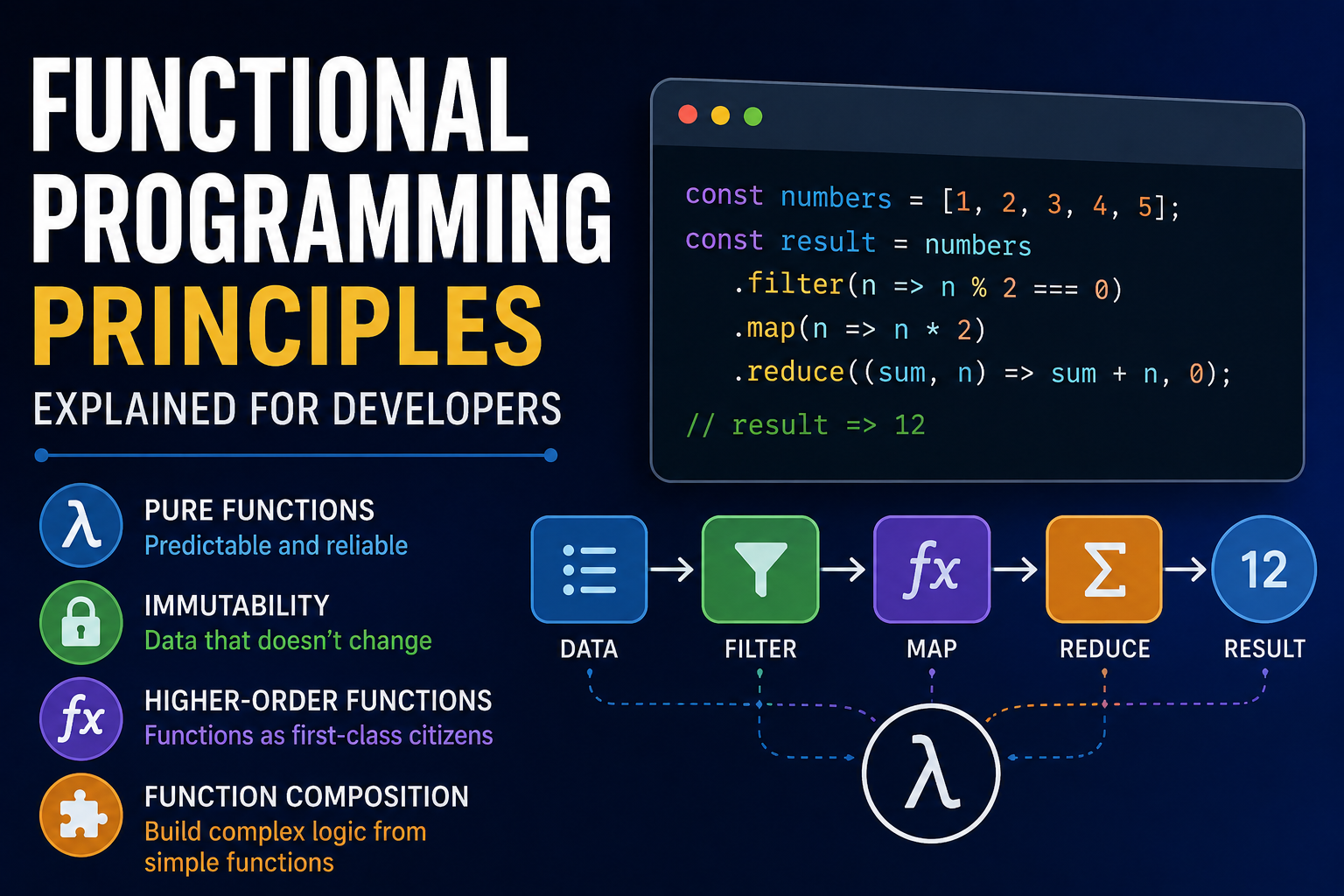
For a broader understanding of programming paradigms, see the Complete Guide to Object-Oriented Programming and Functional Programming Principles Explained for Developers.
Why Recursion Is Useful
Recursion is particularly natural for problems involving structures that contain smaller versions of themselves.
Examples include:
- Tree traversal
- Graph traversal
- Divide-and-conquer algorithms
- Backtracking
- Mathematical definitions
However, recursion can consume significant stack memory if the depth becomes large.
For some problems, an iterative implementation can be more appropriate.
What Is Divide and Conquer?
Divide and conquer breaks a problem into smaller subproblems.
The general pattern is:
- Divide the problem.
- Solve the smaller problems.
- Combine the results.
Merge sort is a classic example.
Binary search also uses a related idea by repeatedly reducing the search space.
Divide-and-conquer strategies are valuable because they can transform difficult problems into smaller, more manageable computations.
What Is Greedy Algorithm Design?
A greedy algorithm makes the best-looking choice at each step according to a defined rule.
The assumption is that a sequence of locally optimal choices can lead to a globally optimal solution.
Examples include:
- Activity selection
- Some scheduling problems
- Huffman coding
- Certain minimum spanning tree algorithms
Greedy strategies do not work for every optimization problem.
The key challenge is proving that the locally optimal choices lead to an acceptable global result.
What Is Dynamic Programming?
Dynamic programming solves complex problems by breaking them into overlapping subproblems and storing previously calculated results.
Instead of repeatedly solving the same subproblem, the algorithm reuses its result.
Two common approaches are:
- Memoization
- Tabulation
Dynamic programming is particularly useful when a problem contains overlapping subproblems and an optimal-substructure property.
Memoization
Memoization stores results from recursive calls.
For example, if an algorithm repeatedly calculates the same Fibonacci number, it can save previously computed values.
This can dramatically reduce unnecessary work.
Memoization is often implemented using a cache or dictionary that associates a problem state with its previously calculated result.
Tabulation
Tabulation builds solutions iteratively, usually starting with smaller subproblems and working toward the final answer.
It often uses a table or array to store intermediate results.
Dynamic programming is useful for problems involving:
- Optimization
- Counting
- Sequences
- Paths
- Resource allocation
Backtracking Algorithms
Backtracking explores possible solutions and abandons a path when it determines that the path cannot produce a valid result.
A typical pattern is:
- Choose an option.
- Continue exploring.
- Check whether the choice remains valid.
- If it fails, undo the choice.
- Try another option.
Backtracking appears in problems involving:
- Puzzles
- Constraint satisfaction
- Scheduling
- Combinations
- Permutations
Backtracking can become computationally expensive, so pruning invalid possibilities as early as possible can be important.
Graph Traversal Algorithms
Two fundamental graph traversal techniques are:
- Breadth-first search
- Depth-first search
Both are important building blocks for graph-related problems.
Breadth-First Search
Breadth-first search (BFS) explores neighboring nodes before moving farther away.
It typically uses a queue.
For an unweighted graph, BFS can find the shortest number of edges between nodes.
It is useful for:
- Network exploration
- Shortest paths in unweighted graphs
- Level-order tree traversal
- Social network analysis
Depth-First Search
Depth-first search (DFS) explores as far as possible along one path before backtracking.
It can be implemented using:
- Recursion
- An explicit stack
DFS is useful for:
- Detecting cycles
- Exploring graphs
- Topological sorting
- Maze solving
- Connected components
Dijkstra’s Algorithm
Dijkstra’s algorithm finds shortest paths from a starting node in a weighted graph when edge weights are non-negative.
It repeatedly selects the closest unprocessed node and updates neighboring distances.
A priority queue is commonly used to improve efficiency.
Dijkstra’s algorithm is widely studied because it demonstrates how graph structures and priority queues work together.
It is particularly useful for understanding the principles behind shortest-path problems.
A* Search Algorithm
A* is a pathfinding algorithm that combines:
- The cost already traveled
- An estimate of the remaining cost
This estimate is called a heuristic.
A good heuristic can help A* find paths efficiently while preserving optimality under appropriate conditions.
A* is commonly associated with:
- Games
- Maps
- Robotics
- Navigation
Minimum Spanning Tree Algorithms
A minimum spanning tree connects all vertices of a connected weighted graph while minimizing the total edge weight.
Two famous algorithms are:
- Kruskal’s algorithm
- Prim’s algorithm
These algorithms are important in network optimization and graph theory.
Topological Sorting
Topological sorting produces an ordering of vertices in a directed acyclic graph where dependencies are respected.
For example:
Learn HTML → Learn CSS → Learn JavaScriptA topological ordering ensures prerequisites appear before the tasks that depend on them.
Topological sorting can be useful for:
- Build systems
- Course prerequisites
- Project dependencies
- Package management
- Task scheduling
String Algorithms
String processing is fundamental to many software applications.
String algorithms can be used for:
- Searching text
- Matching patterns
- Comparing documents
- Processing natural language
- Detecting duplicates
Examples include:
- Naive string search
- Knuth-Morris-Pratt
- Rabin-Karp
- Trie-based searching
What Is a Trie?
A trie is a tree-like data structure designed for storing strings based on their prefixes.
For example:
car
cat
can
share the prefix:
caTries can be useful for:
- Autocomplete
- Prefix searching
- Dictionaries
- Word lookup
Algorithms in Databases
Databases rely heavily on algorithms.
They use algorithms for:
- Searching
- Sorting
- Indexing
- Query optimization
- Joining datasets
- Managing transactions
Indexes are particularly important because they allow databases to find information without scanning every record in many cases.
The choice of data structures and algorithms can therefore have a significant impact on database performance.
Algorithms in Search Engines
Search engines use sophisticated algorithms to:
- Discover content
- Analyze pages
- Understand relationships
- Retrieve relevant documents
- Rank results
Modern search systems involve many different processes rather than one simple algorithm.
The same general principle applies: enormous amounts of information must be processed efficiently to produce useful results.
Algorithms in Artificial Intelligence
AI and machine learning depend heavily on algorithms.
Machine learning algorithms can be used to:
- Classify information
- Predict outcomes
- Detect patterns
- Cluster data
- Optimize decisions
Examples include:
- Linear regression
- Decision trees
- Neural networks
- Support vector machines
- Clustering algorithms
Modern software development is also increasingly influenced by AI-assisted programming. Developers can learn more about this relationship in AI in Software Engineering.
The algorithms used in machine learning are often combined with mathematical optimization techniques.
Algorithms in Cybersecurity
Cybersecurity also depends on algorithms.
Examples include algorithms used for:
- Encryption
- Hashing
- Authentication
- Digital signatures
- Anomaly detection
- Threat analysis
Cryptographic algorithms are particularly important because they protect the confidentiality and integrity of digital information.
However, algorithm selection is only one part of secure software development. Correct implementation, key management, system architecture, testing, and operational practices also matter.
Algorithm Correctness
An efficient algorithm is not useful if it produces incorrect results.
Algorithm correctness means that the algorithm produces the expected result for all inputs within its defined problem domain.
Developers can reason about correctness using:
- Test cases
- Invariants
- Mathematical proofs
- Formal verification
- Property-based testing
Correctness should generally be considered before optimization.
A fast algorithm that produces unreliable results can be more harmful than a slower algorithm that consistently produces the correct result.
Edge Cases in Algorithms
An edge case is an unusual or boundary input that can reveal problems in an algorithm.
For example, a function designed to find the largest number might receive:
[]What should happen?
Other edge cases include:
- One-element lists
- Duplicate values
- Negative numbers
- Very large numbers
- Missing values
- Already sorted data
- Reverse-sorted data
- Empty input
- Unexpected input types
Considering edge cases is a major part of reliable algorithm design.
Algorithm Testing
Testing should evaluate whether an algorithm works across different types of inputs.
Useful test categories include:
Normal Cases
Typical expected inputs.
Boundary Cases
Inputs at the limits of acceptable values.
Edge Cases
Unusual but valid inputs.
Invalid Cases
Inputs that should be rejected or handled safely.
Large Inputs
Datasets used to evaluate scalability.
Algorithm testing should ideally verify both correctness and performance.
This is one reason software testing and quality assurance are important parts of professional software development.
How to Choose the Right Algorithm
There is rarely one universally best algorithm.
The right choice depends on:
- Input size
- Data structure
- Performance requirements
- Memory constraints
- Implementation complexity
- Reliability requirements
- Frequency of operations
- Expected data distribution
A simple algorithm can sometimes be better than a sophisticated one when the dataset is small.
For example, linear search may be completely reasonable for a small collection even though binary search has better asymptotic performance on sorted data.
The goal is to select an algorithm that fits the actual problem.
Simplicity vs. Optimization
Developers should avoid optimizing code prematurely.
A highly complex algorithm may theoretically be faster but introduce:
- More bugs
- Greater maintenance costs
- Harder debugging
- More complicated documentation
A simpler algorithm may be preferable if its performance is sufficient.
The goal is not to find the theoretically fastest algorithm in every situation.
The goal is to find an approach that satisfies the application’s actual requirements.
Common Algorithm Design Mistakes
Ignoring Input Size
An algorithm that works for 100 records may fail to scale to millions.
Choosing Complexity Over Clarity
A sophisticated solution is not automatically better.
Ignoring Memory Usage
An algorithm can be fast while consuming excessive memory.
Forgetting Edge Cases
Boundary inputs can expose serious bugs.
Failing to Measure
Developers should benchmark performance when performance actually matters.
Optimizing Too Early
Premature optimization can make software unnecessarily difficult to maintain.
Ignoring the Data Structure
The wrong data structure can make an otherwise good algorithm inefficient.
This is why algorithms and data structures are best learned together rather than as completely separate subjects.
How to Learn Algorithms Effectively
Learning algorithms is easier when theory is combined with practice.
A practical progression is:
Step 1: Learn Basic Programming
Understand:
- Variables
- Conditions
- Loops
- Functions
- Data types
Step 2: Learn Fundamental Data Structures
Study:
- Arrays
- Strings
- Stacks
- Queues
- Hash tables
- Linked lists
Step 3: Learn Searching and Sorting
Understand:
- Linear search
- Binary search
- Basic sorting
- Efficient sorting
Step 4: Learn Recursion
Practice solving smaller versions of problems.
Step 5: Study Trees and Graphs
Learn traversal and common graph algorithms.
Step 6: Learn Algorithmic Strategies
Study:
- Divide and conquer
- Greedy algorithms
- Dynamic programming
- Backtracking
Step 7: Practice
Solve problems and implement algorithms from scratch.
The more comfortable you become with programming fundamentals, the easier it becomes to reason about algorithmic problems.
A Practical Algorithm Learning Example
Suppose you want to build a contact search application.
You could start with a simple list:
contacts = [
    "Alice",
    "Bob",
    "Carol",
    "David"
]
A linear search could find a contact.
As the application grows, you might consider:
- Sorting the list
- Binary search
- A hash table
- Prefix-based searching
- A trie
The appropriate choice depends on the application’s requirements.
This illustrates an important lesson:
Algorithm design is often about matching the solution to the problem.
Algorithms and Software Architecture
Algorithms do not exist independently from software architecture.
A system’s architecture determines:
- Where data is stored
- How data moves
- Which operations happen frequently
- What must be optimized
- Where computation occurs
An algorithm that is ideal inside a standalone application may not be ideal in a distributed system.
Developers therefore need to understand both algorithmic principles and the environment in which the algorithm will operate.
This is closely related to how software architecture organizes applications.
Algorithms in Distributed Systems
Distributed systems introduce additional challenges.
Data may be spread across multiple machines.
Algorithms may need to account for:
- Network latency
- Failures
- Synchronization
- Concurrency
- Data consistency
- Partial availability
Distributed algorithms are therefore significantly more complicated than algorithms running entirely within one process.
A theoretically efficient algorithm can behave very differently when network communication becomes part of the computation.
Parallel Algorithms
Parallel algorithms divide work so that multiple processors or computing units can perform operations simultaneously.
They are important in:
- Scientific computing
- Graphics
- Machine learning
- Data processing
- Simulations
The challenge is determining which parts of a problem can safely and efficiently be processed in parallel.
Algorithms and Concurrency
Concurrency allows multiple operations to make progress during overlapping periods.
Algorithms operating in concurrent environments must consider problems such as:
- Race conditions
- Deadlocks
- Synchronization
- Shared state
- Atomic operations
A logically correct sequential algorithm may require significant modification before it can safely operate concurrently.
Concurrency is therefore both an algorithmic and software-engineering concern.
Algorithm Optimization
Optimization involves improving an algorithm’s performance or resource usage.
Common approaches include:
- Choosing a better data structure
- Reducing repeated computation
- Using caching
- Improving search strategies
- Reducing unnecessary loops
- Using appropriate indexing
- Processing data incrementally
- Avoiding unnecessary memory allocations
Optimization should be guided by evidence.
Profiling can reveal where a program actually spends its time.
The Importance of Profiling
Profiling measures how software behaves during execution.
It can reveal:
- Slow functions
- Memory-heavy operations
- Excessive database queries
- Repeated calculations
- Bottlenecks
Instead of guessing which algorithm needs improvement, developers can use profiling data to focus their efforts where optimization will have the greatest impact.
This is especially important in larger applications, where a small inefficiency can become significant at scale.
Algorithm Trade-Offs
Algorithm design often involves trade-offs.
For example:
Faster execution may require more memory.
Lower memory usage may require more computation.
Simpler implementation may provide less optimal performance.
Precomputed results may improve speed but require additional storage.
There is rarely a perfect solution for every situation.
Good engineering means understanding the trade-offs and choosing appropriately.
Algorithms and Maintainable Code
An algorithm can be theoretically efficient but still create problems if its implementation is difficult to understand or maintain.
Good implementations should generally have:
- Clear naming
- Understandable control flow
- Appropriate abstraction
- Useful comments where necessary
- Tests for important behavior
- Sensible error handling
- Documentation for non-obvious decisions
Algorithmic knowledge therefore works best when combined with good software engineering practices.
Developers can explore this further in How to Write Maintainable and High-Quality Software Code.
Algorithms and Version Control
Algorithm implementations also change over time.
Developers may improve an algorithm, fix a bug, change its data structure, or optimize its performance.
Version control systems allow teams to track those changes and collaborate safely.
Git and Version Control Guide for Developers explains the role of version control in modern development workflows.
This becomes particularly important when multiple developers are working on the same codebase.
Algorithms and DevOps
Algorithms do not stop mattering after software is written.
Applications must be built, tested, deployed, monitored, and maintained.
Development and operations practices can influence how algorithms perform in production, particularly when applications are distributed across servers and services.
The relationship between development and operations is explored further in How DevOps Connects Software Development With IT Operations.
Algorithms Are the Logic Behind Software
Algorithms can initially seem like an abstract computer science subject.
In practice, they are simply structured ways of solving problems.
Every time a developer asks:
How can I find this information faster?
How can I organize these records?
How can I determine the shortest route?
How can I avoid repeating expensive work?
How can I process millions of items efficiently?
they are thinking algorithmically.
The most valuable algorithm skills therefore go beyond memorizing names such as quicksort or Dijkstra’s algorithm.
A strong programmer learns to recognize problems, analyze constraints, choose appropriate data structures, compare possible approaches, reason about complexity, and verify correctness.
Building Strong Algorithmic Thinking
Becoming better at algorithms takes practice.
Start with simple problems and gradually increase complexity.
Learn to ask:
- What exactly is the problem?
- What are the inputs?
- What should the output be?
- What constraints exist?
- How large can the input become?
- Which data structure fits the problem?
- Can the problem be divided into smaller parts?
- Can previous results be reused?
- What is the time complexity?
- What is the space complexity?
- What edge cases could break the solution?
- Can the solution be tested and explained clearly?
These questions form the foundation of practical algorithm design.
Why Algorithms Remain Essential to Modern Programming
Programming languages will continue to evolve, development tools will become more automated, and artificial intelligence will increasingly assist developers.
But algorithms will remain fundamental.
AI coding assistants can generate code, but developers still need to understand whether the generated solution is correct, efficient, secure, maintainable, and appropriate for the problem.
The ability to reason about algorithms helps programmers evaluate those decisions rather than blindly accepting generated code.
That makes algorithmic thinking valuable even in an increasingly AI-assisted software industry.
From Code to Computational Thinking
Algorithms are ultimately about computational thinking: breaking complicated problems into manageable steps and finding reliable ways to solve them.
The most important lessons are not simply how bubble sort works or how to implement a binary tree.
They are the broader principles behind them:
- Break large problems into smaller ones.
- Choose data structures deliberately.
- Measure complexity.
- Consider trade-offs.
- Handle edge cases.
- Test assumptions.
- Optimize only when necessary.
- Prefer solutions that are understandable and maintainable.
Once these ideas become familiar, algorithms stop looking like isolated computer science exercises and start becoming what they really are: a practical framework for building software that solves problems efficiently and reliably.